
1723534562.png)

IPMAT Indore Admit Card 2026: Download Here [Direct Link]
April 25, 2026
Overview: IPMAT admit card for 2026 has been released on the official website on 21st April 2026. Candidates who all are appearing for IPMAT Indore exam can download their admit card through the provided link. Read on to know the complete details.
The countdown has officially begun! with the IPMAT 2026 exam just around the corner, candidates can now take the most crucial step before exam day downloading their admit card.
Released on April 21, 2026, by Indian Institute of Management Indore, the IPMAT 2026 admit card is your entry pass to one of the most competitive undergraduate management exams in India.
If you’ve successfully completed your application, this is your moment to log in, download the hall ticket, and carefully verify every detail mentioned on it.
Important dates to remember
- IPMAT Indore Exam Date: 4th May 2026
- IPMAT Rohtak Exam Date: 10th May 2026
In this guide, we’ll walk you through the download process, key details to check, and essential instructions to ensure you’re fully prepared for the big day.
Table of Contents
IPMAT Admit Card 2026 Out: Latest Updates
The latest update is here IPMAT 2026 admit card has been officially released by Indian Institute of Management Indore.
Candidates who have successfully completed their application can now log in and download their admit card without delay.
The exam will be conducted by Indian Institute of Management Indore and will have a total duration of 120 minutes, giving you two hours to attempt all sections and showcase your preparation.
IPMAT scores are accepted by multiple top institutes.
Along with Indore, colleges like Indian Institute of Management Rohtak, Indian Institute of Management Ranchi, and Indian Institute of Management Jammu also offer management programs through similar admission processes, making this exam a gateway to several prestigious B-schools.
Check out the IPMAT Admit Card 2026 Important Dates
Check the important dates and events if you are taking IPMAT.
IIM Indore Important Dates
| IIM Indore Events | Dates |
| IPMAT Application Starts | February 2026 |
| Application Ends | April 2026 |
| IPMAT Admit Card Release Date 2026 | 21st April 2026 |
| Exam Date 2026 | 4th May 2026 (Afternoon shift) |
Direct Link to Download IPMAT Indore Admit Card 2026
Direct Link to Download IPMAT Rohtak Admit Card 2026
IIM Rohtak Important Dates 2026
|
Online Application Opens |
Feb 06, 2026 |
|
Last date for submission of online Application |
April 06, 2026 |
|
IPMAT Rohtak Admit Card Release Date |
April 21, 2026 |
|
IPM Aptitude Test 2026 |
May 10, 2026 |
|
Announcement of Call for Personal Interview |
Last week of May 2026 |
|
Personal Interview |
First or Second week of June 2026 |
|
Announcement of Selection List |
Second Week of July 2026 |
|
Registration, Verification of documents, Submission of term fee, Hostel room allocation, and Interaction with faculties |
Third Week of August 2026 |
|
Induction/ Orientation |
Third Week of August 2026 |
|
Academic Session begins |
Third Week of August 2026 |
Read all the IPMAT exam instructions carefully before downloading and printing the admit card.
Verify all the details on the IPMAT 2026 admit card and contact the authorities immediately to report any discrepancies.
IPMAT Indore 2026 admit card download link:
How to Download IPMAT Admit Card 2026?
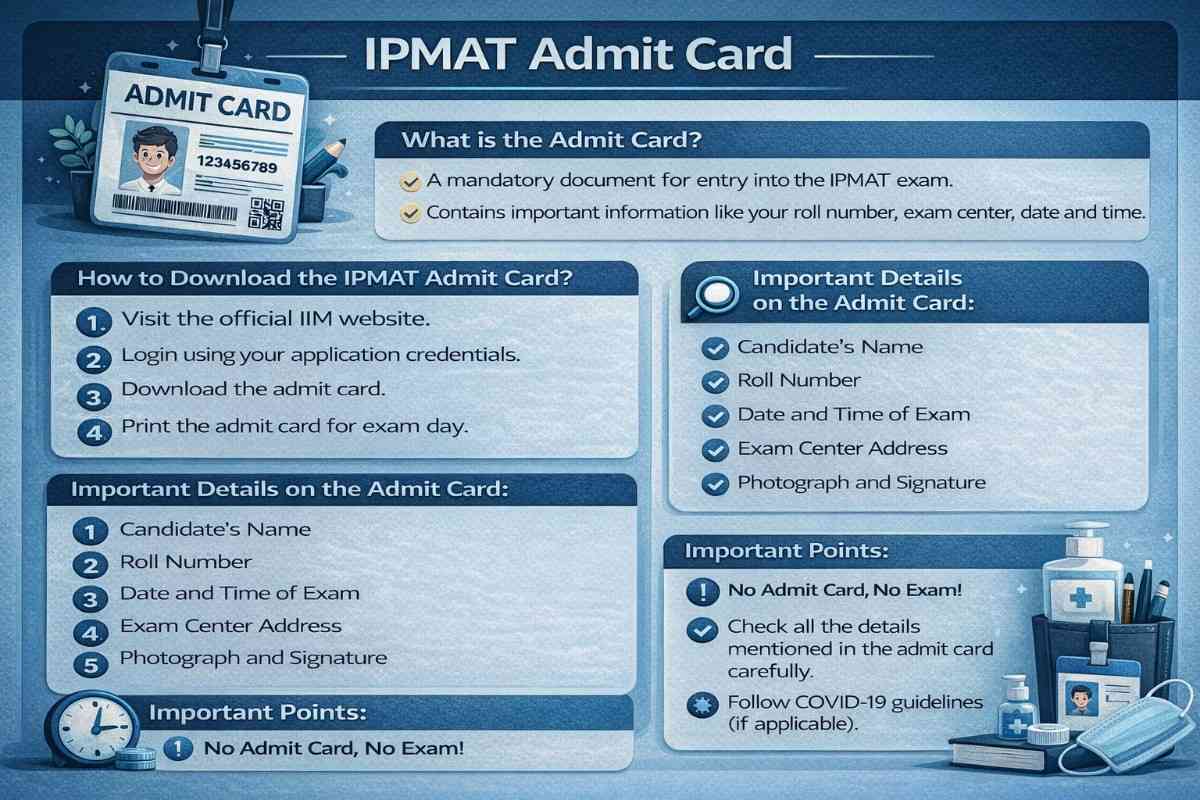
The process to download the IPMAT Indore and IPMAT Rohtak admit cards is almost identical. Follow these simple steps:
1. Visit the official website of the respective institute.
- For Indore, go to the IIM Indore website.
- For Rohtak, visit the official IIM Rohtak website once the admit card is released.
2. On the homepage, find and click on the “Admit Card” or “IPMAT Admit Card” link.
- Enter your login details such as:
- Application Number / User ID
- Password or Date of Birth
3. Click on the “Submit” button.
4. Your IPMAT admit card will appear on the screen.
5. Download the admit card and take a clear printout for exam day.
Which Details you Must verify on the IPMAT Admit Card 2026?
The following details are mentioned on the IPMAT 2026 exam admit card, which you must go through carefully:
- Name of the Applicant
- Date of Birth
- Category
- Photograph and Signature
- Exam Date
- Exam Timing
- The venue of the Exam Centre
- Exam Day Instructions


Which Documents Should You Carry Along with the IPMAT Admit Card 2026?
Along with your IPMAT 2026 admit card, it is mandatory to carry a valid photo ID proof to the exam centre for verification.
You can bring any one of the following government-issued ID cards:
- Aadhaar Card
- Driving License
- PAN Card
- Voter ID
- Passport
Important Tip: Make sure your ID proof is original (not a photocopy) and the details match your admit card. Without a valid ID, you may not be allowed to enter the exam hall.
How to Retrieve the Password to Download the IPMAT Admit Card 2026?
If you've forgotten your login password, follow the instructions below to retrieve it.
- Visit the official website for the IIM Indore admit card. Alternatively, you can visit the IIM Rohtak's official website to obtain the admit card.
- On the homepage, click on the Admit Card tab
- On the login page, click on "Forgot Password."
- You will receive a password reset link to your registered mobile number and email.
- Now, enter a new password and log in to the account.
Common Problems Faced While Downloading the IPMAT Admit Card 2026
Facing issues while downloading your IPMAT 2026 admit card is quite common—but most problems have simple fixes. Here are the key reasons and what you can do:
1. Incorrect Login Credentials
Entering the wrong Application Number, User ID, or Password can prevent access to your admit card.
How to Fix: Double-check your credentials and try again carefully.
2. Slow or Unstable Internet Connection
A weak internet connection can interrupt or delay the download process.
How to Fix: Switch to a stable network or try downloading the admit card after some time.
3. Incomplete Registration
If your application form was not submitted properly or had missing details, your admit card may not be generated.
How to Fix: Ensure that your registration was successfully completed and all required details were filled correctly.


How to Solve Discrepancy in IPMAT Admit Card 2026?
After downloading the hall ticket, it is recommended to verify that all the details mentioned are correct.
If you encounter any error or any other discrepancy related to the IPMAT 2026 admit card, you should immediately contact the exam conducting authority by phone or email.
It is essential to resolve all discrepancies in your IPMAT exam admit card as soon as possible.
Phone:
- 0731- 2439686/687 (For IIM Indore)
- 01262-228555 (For IIM Rohtak)
E-mail ID:
- ipmadmissions@iimidr.ac.in (For IIM Indore)
- ipmadmission@iimrohtak.ac.in (For IIM Rohtak)
Understanding the IPMAT Exam Centres 2026
IPMAT Indore Exam Centers
This National Level exam is conducted across 34 cities in the country. Check out the list of IPMAT Exam Centres in the table below.
| Ahmedabad | Gwalior | Noida | Meerut |
| Bengaluru | Hyderabad | Patna | Udaipur |
| Bhopal | Indore | Pune | Siliguri |
| Bhubaneshwar | Jaipur | Raipur | Roorkee |
| Chandigarh / Mohali | Kolkata | Ranchi | Ludhiana |
| Chennai | Kozhikode | Thiruvananthapuram | Faridabad |
| Dehradun | Lucknow | Varanasi | Guwahati |
| Ghaziabad | Mumbai | Visakhapatnam | Delhi |
| Gurgaon | Nagpur | - | - |
IPMAT Rohtak Exam Centers
| Ahmedabad | Ajmer | Ambala | Bengaluru |
| Bhopal | Bhubaneswar | Chennai | Dehradun |
| Faridabad | Ghaziabad | Gurugram | Guwahati |
| Gwalior | Hyderabad | Indore | Jaipur |
| Jhansi | Kolkata | Kozhikode | Lucknow |
| Noida | Patiala | Patna | Pune |
| Mohali | Mumbai | Nagpur | New Delhi |
| Sikar | Raipur | Ranchi | Thiruvananthapuram |
| Varanasi | Visakhapatnam | - | - |


Important IIM IPMAT Exam Day Instructions 2026
Here are the important exam day guidelines that you must follow:
|
Category |
Instructions |
|
Admit Card |
Carry a printed A4 copy of the admit card (2 pages). Ensure your photo & signature are clearly visible (preferably colour print). |
|
Photograph |
Paste the same photograph that you uploaded during the application form on the admit card. |
|
Photo ID Proof |
Bring an original, valid ID proof (same as mentioned on the admit card, e.g., Aadhaar). It must be undamaged and clearly readable. |
|
Reporting Time |
Reach the exam centre at least 1 hour before the exam starts. Late entry is not allowed. |
|
Entry to Exam Hall |
Entry is permitted only after the invigilator verifies the document. |
|
During Exam |
You cannot leave the exam hall early under any circumstances. |
|
Dress Code |
Follow the prescribed dress code mentioned in the admit card. |
|
Rough Work |
Do rough work only on the sheet/booklet provided at the centre. |
Do’s and Don’ts
|
Do’s ✅ |
Don’ts ❌ |
|
✅ Carry all required documents without fail |
❌ Do not carry electronic gadgets (phones, smartwatches, etc.) |
|
✅ Reach the centre early |
❌Do not bring personal stationery (pens, paper, etc.) |
|
✅ Follow invigilator's instructions |
❌Do not carry paper chits or prohibited items |
|
✅ Complete verification before entering |
❌ Do not enter after reporting time |
Frequently Asked Questions
Can I get my test center changed after the issue of the IIM IPM Admit Card?

Should I carry the Admit Card to the IPMAT exam center?
Can I take black and white printout of the IPMAT Admit Card?
Can I carry a soft copy of IIM IPM Admit Card to the exam hall?
What are the details mentioned on Admit Card?
What should I do if I am unable to download my IPMAT Admit Card 2025?
Can I request a change in the exam center mentioned on the IPMAT Admit Card 2025?
Can I get a duplicate Admit Card if I lose the original?
When will the IPMAT Indore Admit Card 2025 be released?
How do I download the IIM Indore IPMAT Admit Card?
When will the IIM Indore admit card download link be available?

Leekesh Suryavanshi
Senior Content Writer


SHARE