
1723534562.png)

CUET Payment Issue: What to Do If Payment Fails But Amount Is Deducted
May 12, 2026
Overview: Facing a CUET Payment issue where money is deducted, but your form shows failed? Don’t panic. We’ve covered who to contact, when to wait, and when to retry payment. Use these clear steps to protect your seat, speed up refunds, and avoid last-minute stress.
If you are also preparing for CUET UG 2027 exam and facing payment issues, but the amount is deducted, then do not panic. Before starting registration, make sure you've checked the CUET eligibility criteria and have all required documents ready.
Some of the major reasons are gateway timeouts, bank declines, low balance, incorrect details, an old browser or slow internet, and Aadhaar or ID mismatch. In this blog, we will explain what to do when payment issues arise during CUET registration.
Understanding CUET Payment Issue: Quick Overview
A CUET Payment issue occurs when your bank or UPI shows a debit, but the CUET site does not confirm the payment. This CUET payment problem often happens when many people pay at once. The payment gateway or bank may delay the final status. Save proof like screenshots, bank SMS, and the transaction id.
Check your application page on the official NTA website. If it still says incomplete after 48 hours, get the transaction id from your bank and contact support with proof. Do not share OTPs or private PINs. Meanwhile, don't pause your preparation; keep working through the CUET syllabus systematically.
Common Causes of CUET Payment Issues (UPI, Cards, Gateways & Banks)
Many things can cause problems, with CUET Payment method. Sometimes the payment gateways time out when a lot of people are using them at the time. The banks may not accept a card or a netbanking transfer because they are doing security checks or because there is not money in the account.
If you make a mistake when you type in your card number or your UPI id it can cause the transfer to fail. Using browsers or apps and having slow internet can also stop the process from working. CUET Payment issues can be really frustrating.
Some banks hold funds and then reverse them. High traffic near the CUET Payment last date 2027 can slow the portal. This is why having a proper CUET preparation strategy includes completing registration early, giving you more time to focus on studies. Mismatch in name or ID can block payment. If you see a CUET payment error, save the error code and note the time. Try a different browser or device if one keeps failing.
Immediate Steps to Take When Payment Fails but Money Is Deducted
If you are facing a CUET Payment issue, then you must take actions while being calm.
- Check your bank SMS and app for the transaction id and amount.
- Wait at least 24 to 48 hours for the portal to sync.
- Log in and check if the form shows complete or incomplete.
- Take a screenshot of the failed page and any errors or bank proof.
- Email NTA helpdesk, the payment gateway, and your bank with proof and the transaction id.
- If you do not get a reply from them in two days you should call the bank and the gateway customer care. When you talk to them make sure you note down the reference number of the gateway customer care and the bank. This reference number is important, for the bank and the gateway customer care.
- If the form still shows incomplete and the deadline is near, you may pay again to save your seat. Use any waiting time to solve CUET previous year question papers for effective practice.
Do not lose calm; duplicate charges can be traced and refunded. Also, check the fee amount shown on the portal and match it with your bank debit.
How to Contact the Support Team for CUET Payment Issue or Failure
Before you call or email for help, gather these things first:
- Your application number
- Transaction ID (the special number from your bank)
- The date you paid
- How much money you paid
- Screenshots (pictures of your screen)
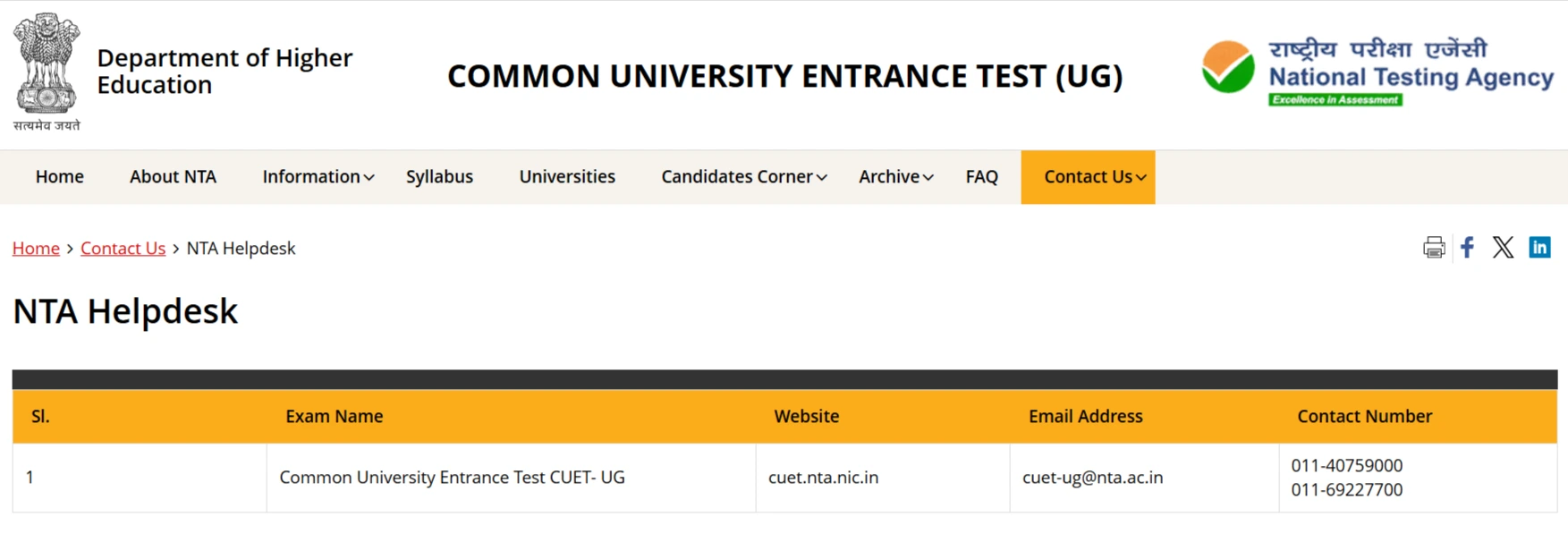
NTA CUET-UG helpdesk contacts (official) — source for CUET Payment issue.
Writing an Email for Help
Keep your email simple and clear. Here's an example:
Subject line: My payment was taken but my form shows failed
Email message: Hello, I paid my CUET fee on [write the date here]. My bank took INR [write amount] from my account.
Here are my details:
- Transaction ID: [write the ID number]
- Application number: [write your number]
I'm attaching screenshots and my bank message as proof. Please help me fix this problem.
Thank you.
Who Should You Contact?
You need to reach out to three places:
- NTA helpdesk - use the email on their website
- Your bank - call or email their customer care
- Payment company - like HDFC or SBI (whoever processed your payment)
What to Do Next
Wait for two days (48 hours) for a reply. If nobody responds, call them again. When you talk to someone, write down:
- The reference number they give you
Save all your emails and notes. Keep them safe until you get your money back or your form gets fixed. These records really help solve problems faster.
Refunds & Timelines: What to Expect and How to Track Progress
When you have a CUET Payment issue, the bank or payment company will help you to find out what went wrong. After that, they'll send your money back. This usually takes 7 to 15 days. Sometimes it takes a bit longer.
refunds often follow after banks or gateways trace the failed payment. Most refunds come in 7 to 15 days, but some banks take longer.
Check your bank statement and UPI app daily for the refund entry. Keep emails from NTA, gateway, and bank as proof. If the portal later shows payment complete, you may not need a refund.
If no refund after 15 days, call the bank with the transaction id and ask for a trace. Ask the gateway to raise a trace and share the trace number with the NTA. Keep a note of the reference and keep checking statements.
When your CUET payment fails, the bank or payment company will help you to find out what went wrong. After that, they'll send your money back. This usually takes 7 to 15 days. Sometimes it takes a bit longer.
How to Check for Your Refund
Look at your bank account every day. Check your UPI app too. You're looking for your money to come back. Save all the emails you get from NTA, the payment company, and your bank. You might need them later.
Sometimes the CUET website fixes itself and shows your payment worked. If that happens, you won't get a refund because your fee is already paid.
What If Your Money Doesn't Come Back?
If 15 days pass and you still don't see your refund, it's time to call your bank. Tell them your transaction ID and ask them to trace your payment. This means they'll look for where your money went.
Do the same thing with the payment company. They'll give you a trace number. Send that trace number to NTA.

HDFC payment gateway contacts — for CUET Payment issue.

SBI support and SMS options — useful for CUET Payment issue.
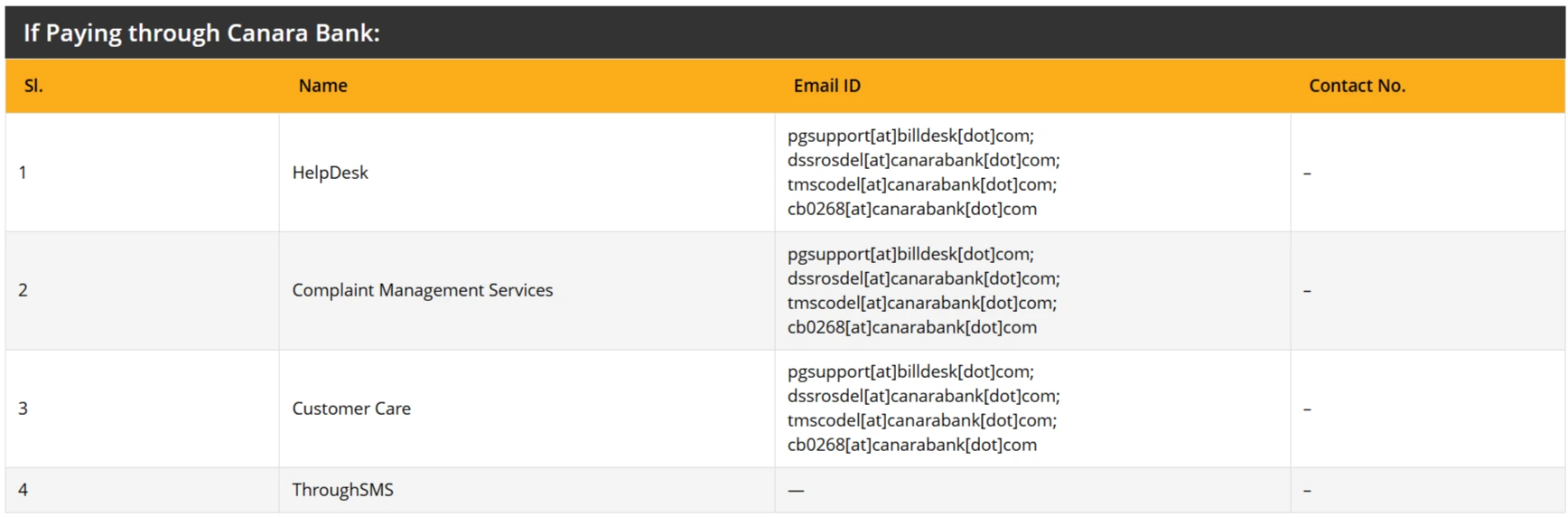
Canara Bank / gateway support contacts — for CUET Payment issue.

ICICI payment support contact from NTA — for CUET Payment issue.
Write down all these reference numbers in a safe place. Keep checking your bank account until the money comes back.
Prevention Checklist & Best Practices Before You Pay
A CUET Payment issue can occur if payment is made in a hurry or due to network issues, or even with minor mistakes. Following simple steps can help you avoid payment failure and save time.
Before making a payment, always use a strong and stable internet connection. Avoid using public WiFi because it may stop the payment process. Try to make a payment using a laptop or desktop browser, as it usually works better than mobile phones. Always keep Aadhaar and other ID details correct and ready before starting the form.
Do not wait for the last day to pay fees, especially near the CUET Payment last date, because heavy website traffic can cause payment failure. Use a trusted UPI app, debit card, or net banking service. Also, check daily bank transaction limits before paying the fees.
Also, research your preferred CUET participating universities beforehand, so you can select the right options during registration without rushing.
Make sure to take screenshots of each payment step. Save bank SMS, payment receipts, and transaction ID safely. If any error code appears, note it down and share it with the support team if needed. Try paying during early morning or late night hours when the website traffic is lower.
When to Contact the Bank for Dispute
If your refund does not come within 15 days after a CUET Payment issue, contact your bank and request a dispute. Share transaction ID, screenshots, and payment gateway details. The bank can track the payment and help recover the money faster.
How to Keep Payment Records Safe
Create a separate folder in your phone or laptop for payment proof. Similarly, organise your study materials, including CUET sample papers and notes, for easy access. Save emails, screenshots, and bank messages with proper date names. This helps in quick sharing with support teams and speeds up problem-solving.
Important Safety Tip
Never share OTP, PIN, or password with anyone. Official support teams never ask for such details. If someone asks for this information, ignore them and report the activity immediately.
Key Takeaways
If you have a problem, with your CUET payment do not worry. You need to contact your bank and the NTA. You can send them an email until you get your refund or the portal is updated. Doing these things will help you keep your seat safe.
- Wait at least 24 to 48 hours for the portal to update before you repay.
- Keep all screenshots, bank SMS, and transaction ids for proof.
- Email bank, gateway, and NTA with a short note and attachments.
- Join Supergrads CUET coaching class for great mentorship support and exam planning.

Get CUET Study Materials
Fill your details

Chetanya Rai
Communications Executive (CUET)


SHARE