
1723534562.png)

UCEED Application Form 2027 (OUT): Direct Link, Fee, Eligibility & Step-by-Step Registration Guide
October 13, 2026
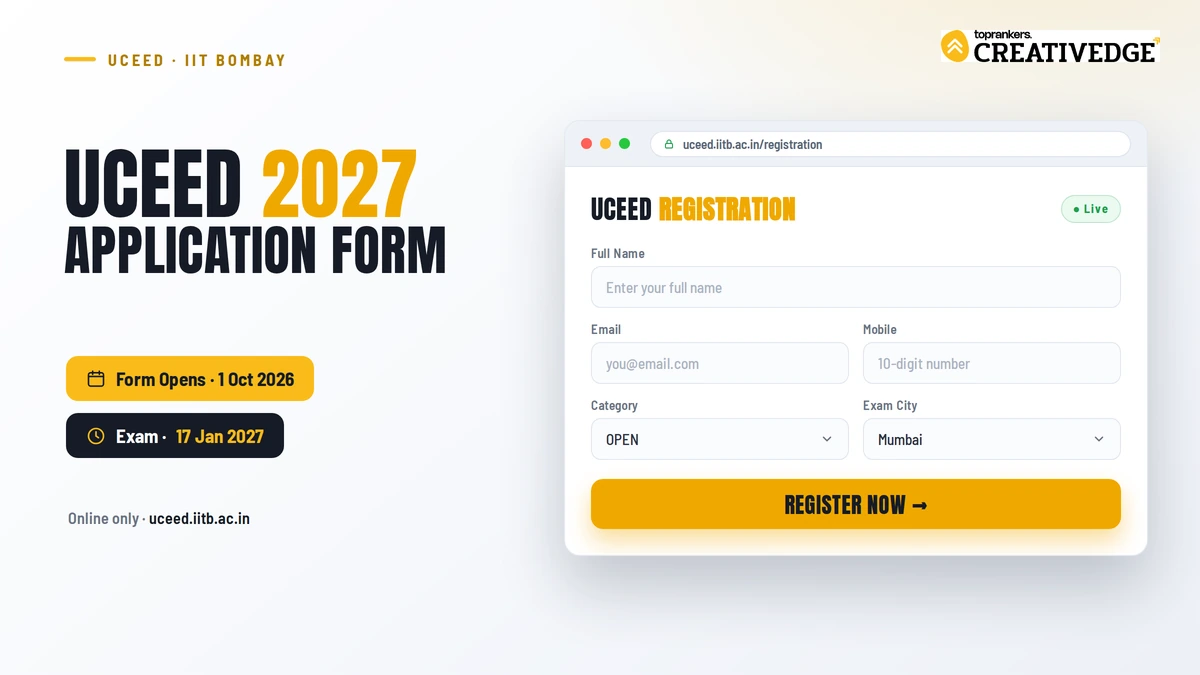
As per the declaration by IIT Bombay on the official UCEED website uceed.iitb.ac.in, the UCEED application form for 2027 exam has opened on 1st October 2026 (registration is online only). The UCEED 2027 exam date is also released - Sunday, 17 January 2027.
The application fee is the same as the last year- ₹2,000 for female (all categories) and SC/ST/PwD candidates and ₹4,000 for all others. There is no correction window, so fill the form carefully. As of August 2026, the 2027 form has not opened yet and the official notification is awaited.
Any changes if announced will be reflected here.
Key Highlights- UCEED 2027 Application Form
| Particular | Details (2027) |
|---|---|
| Exam | UCEED (Undergraduate Common Entrance Exam for Design) |
| Conducting body | IIT Bombay |
| Notification & form release | 1 October 2026 |
| Exam date | Sunday, 17 January 2027 (forenoon) |
| Application mode | Online only - uceed.iitb.ac.in |
| Fee | ₹2,000 (female/SC/ST/PwD) | ₹4,000 (all others) | Foreign: $420 SAARC / $525 non-SAARC |
| Exam parts | Part A (online, CBT) + Part B (offline, drawing) |
| Attempts | Maximum 2, in consecutive years |
| Correction window | None (no edits after submission) |
| Participating institutes | 6 IITs + IIITDM Jabalpur |
All 2027 details can be confirmed in the official brochure on 1 October 2026. Last verified: August 2026.
This guide will walk you through UCEED 2027 registration in exact order of steps- eligibility, documents, fees, etc.- so you can submit the form without any errors.
Table of Contents
- What is UCEED Application form 2027?
- Important Dates for UCEED 2027 Registration
- Step-by-Step Process to Fill UCEED B.Des Application Form 2027
- UCEED Registration Fee 2027
- Details Asked in UCEED Registration Form 2027
- Difference Between UCEED 2027 Exam Registration and B.Des Admission Registration
- Documents Required for UCEED Registration 2027
- What is Annexure B in the UCEED 2027 Form?
- UCEED 2027 Form Correction
- What After You Submit the Registration Form?
What is UCEED Application form 2027?
It’s the online registration you must complete to appear in UCEED 2027 - the Undergraduate Common Entrance Examination for Design conducted by IIT Bombay for admission to B.Des at IITs and other result-sharing institutes.
UCEED application for entrance exam and UCEED registration for B.Des admissions are two separate processes (the latter happens after results through a common admission application). Most students get confused between the two.
The application form is used to register for the entrance exam, whereas the counselling registration is a separate process conducted after the results for candidates seeking B.Des admission through seat allotment.
UCEED 2027 Eligibility (quick check)
You must satisfy following UCEED eligibility criteria to apply for the exam, before you get to the stage of filling the application form.
1. Age limit: The candidate should have been born on or after October 1, 2002, if belonging to the OPEN/EWS/OBC-NCL category and, on or after October 1, 1997, if belonging to the SC, ST, or PwD category.
2. Educational Qualification: The candidate should have passed all five subjects in the qualifying examination (Class XII or equivalent) in either 2026 or 2027. Those who appeared for the first time in their qualifying examination in 2025 or earlier are NOT eligible.
- Candidates from the Science Stream with Physics, Chemistry, and Mathematics as subjects are eligible to apply to all the five participating institutes. Candidates from any other stream are eligible to apply to IIT Bombay, IIT Delhi, and IIT Hyderabad.
- For admission to B.Des at IIITDM Jabalpur, only students with Physics, Chemistry, Mathematics/Biology at 10+2 can apply.
- The candidates appearing for their qualifying examination (Class XII or equivalent) in 2027 must ensure that (a) all parts of their final examination are completed by the date of application for admission and (b) proof of having passed the qualifying examination with the required eligibility is submitted by the last date.
UCEED Application Form 2027 - Important Dates (Tentative)
The table below shows all the important dates for all events of the UCEED 2027 Exam.
| Events | Dates |
|---|---|
| Start Date for UCEED Registration 2027 (Online Application) | 1 October, 2026 (announced) |
| Last Date for UCEED Registration 2027 with Regular Fee | October 2026 |
| Last Date for UCEED 2027 Registration with Late Fee | November 2026 |
| Start date for Admit Card downloading | January 2027 |
| UCEED 2027 Exam Date | Sunday, 17th January, 2027 (forenoon) |
| Release of Draft Answer Key and Candidates’ Response for Part-A | Typically released by IIT Bombay shortly after the exam |
| Last date for uploading comments (if any) on the Draft Answer Key in the candidate’s portal | January 2027 |
| Release of Final Answer Key for Part-A | January 2027 |
| Announcement of Cut-off Marks for Part A | Typically announced by IIT Bombay in the second week of February |
| Declaration of Results | March 2027 |
| Start date for Score Card Downloading | March 2027 |
| Last date for Score Card Downloading | June-July 2027 |
| Submission of Online Application for B.Des Program | March 2027 |
| Seat Allotment Round 1 | April 2027 |
| Seat Allotment Round 2 | May 2027 |
| Seat Allotment Round 3 | June 2027 |
Ensure you complete the UCEED exam registration form before the UCEED application's last date! Once the registration closes, the next important step will be downloading the UCEED admit card. It is released in January before the exam.
UCEED 2027 Exam Centers
You must select three test cities in the order of preference in which you want to appear for the UCEED 2027 Exam. Once the UCEED 2027 registration form is submitted, authorities will not consider a request to change the test city.
Suppose a sufficient number of aspirants are not available in a listed city. In that case, the institute drops that city from the final list, and those aspirants will be allotted a centre in the city of either their second or third preference.
Note: Detailed video for application form 2027 will be shared here once authorities start the UCEED registrations for the 2027 exam cycle.
Step-by-Step Process to Fill UCEED Application Form 2027
You can register for UCEED 2027 only through the official portal link on uceed.iitb.ac.in. The registration portal has opened for the next cycle from 1st October 2026.
Make sure you keep all documents and certificates ready before you start - incomplete or incorrect uploads are one of the top reasons for application rejection.
Step 1: Visit the Official Website
1) Go to uceed.iitb.ac.in → Click on “Registration Portal” on the homepage.
2) You will be redirected to the UCEED 2027 registration portal hosted by IIT Bombay.
Step 2: Register and Create Candidate Account
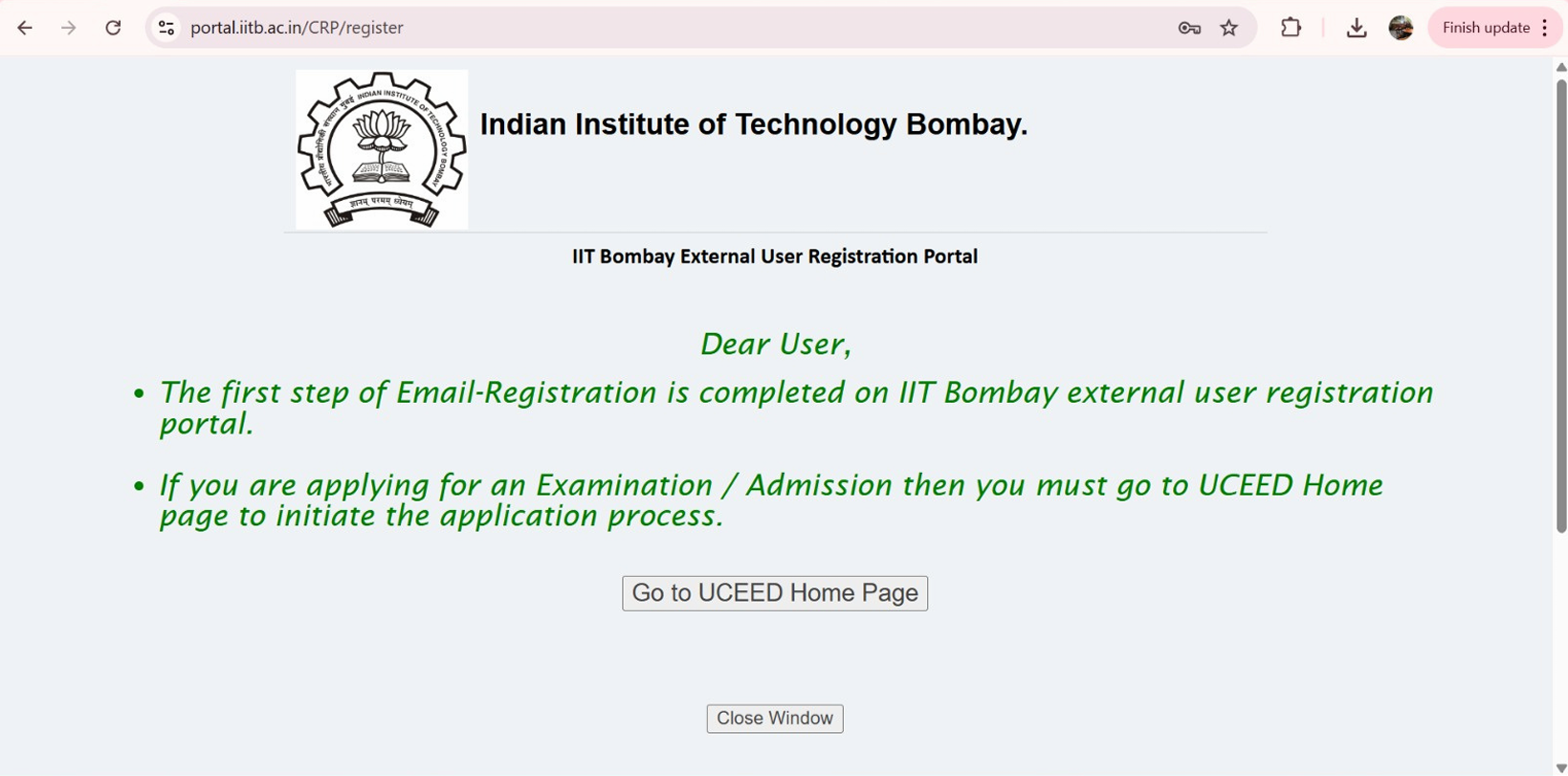
1) If you are a new user, click “Register” to create an account.
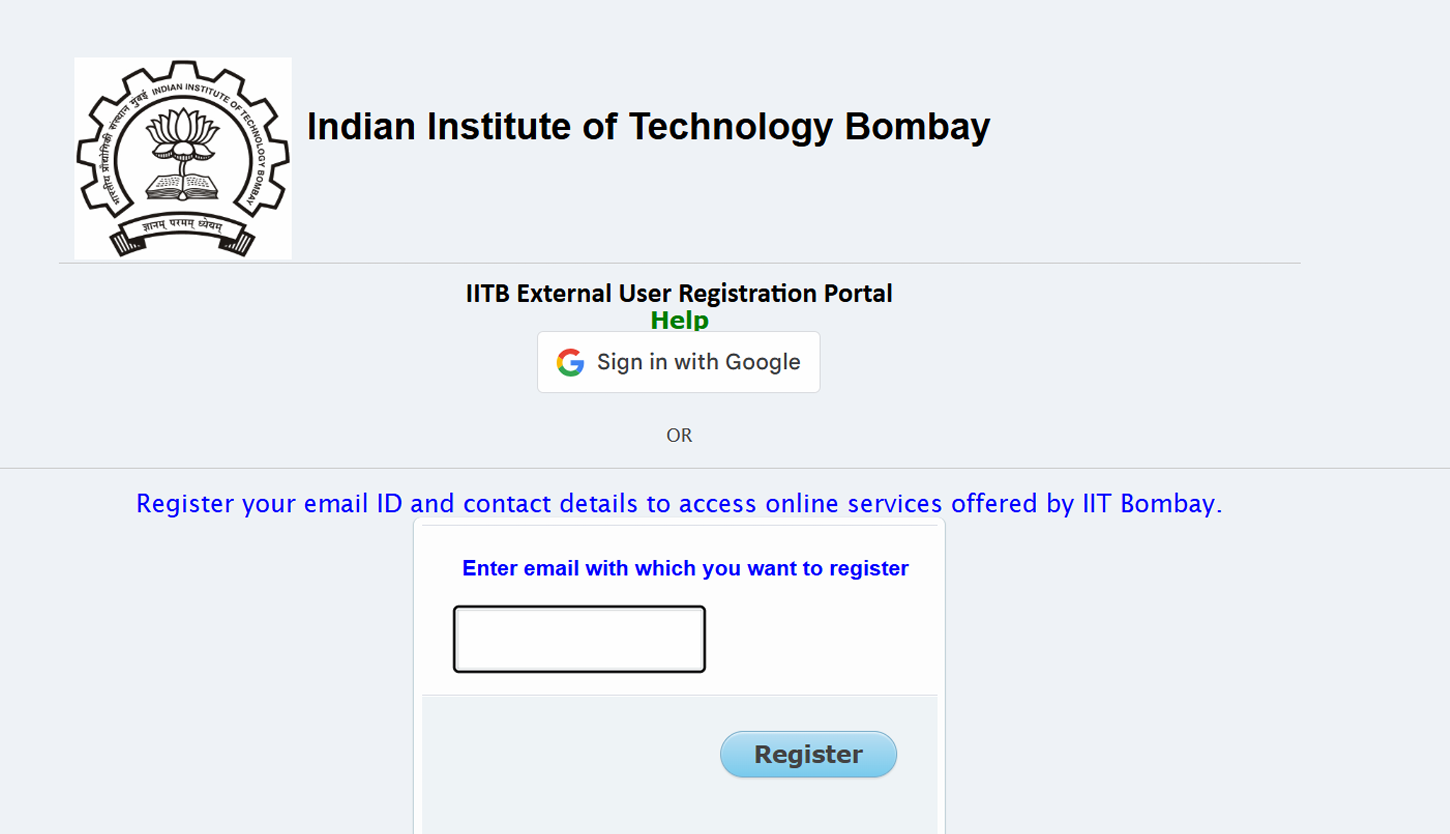
2) You’ll receive a verification link/OTP - complete the verification.
Tip: Use a valid personal email ID and mobile number - all official updates (admit card, UCEED result, etc.) will be sent here.
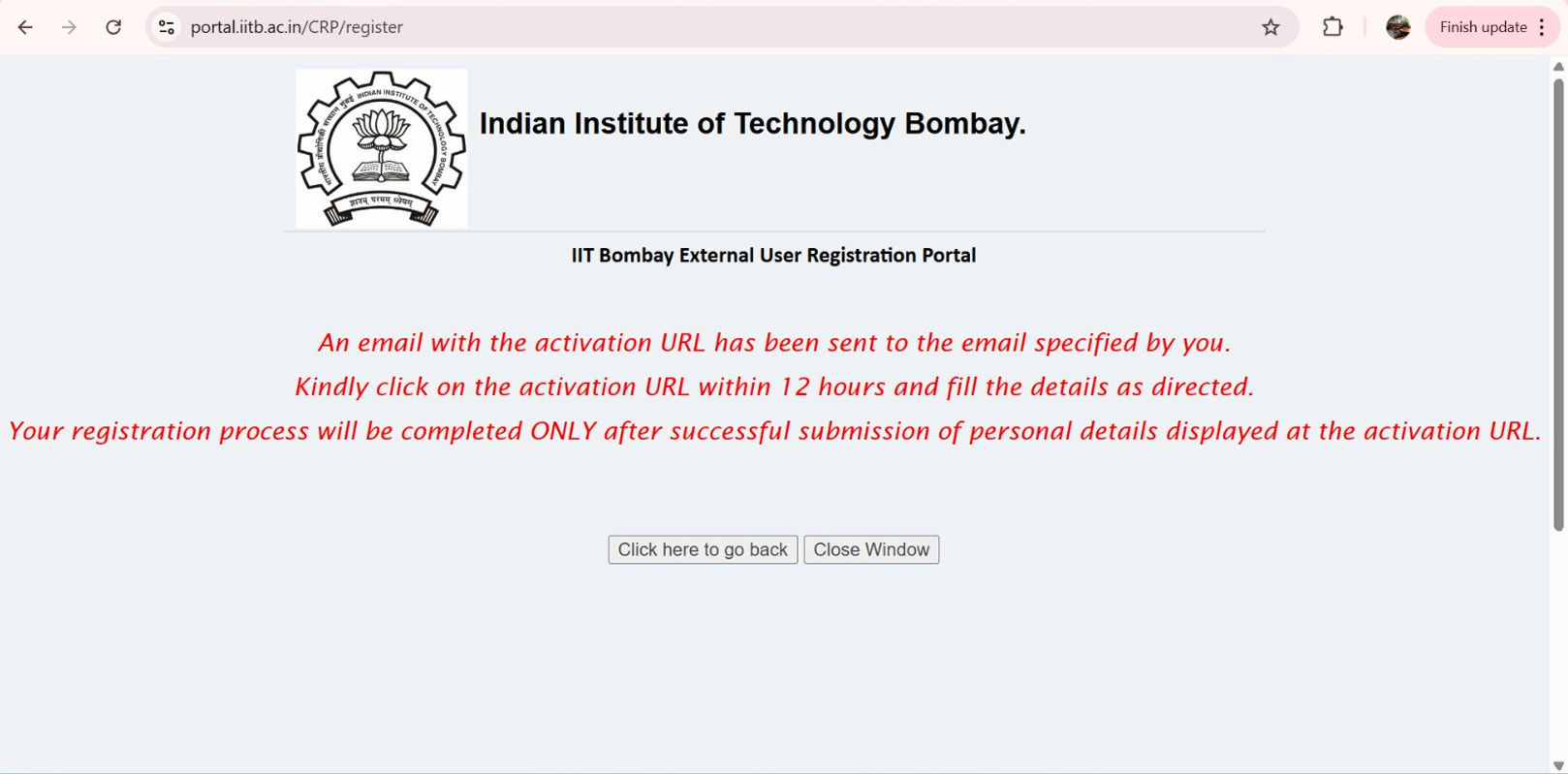
3) If you are a new user, as you click on the activation URL, you’ll be asked to fill details like email ID, mobile number, name, date of birth, address and more. You’ll also be required to enter a secret question and it’s answer, so that you can recover your account in case you forget your password.
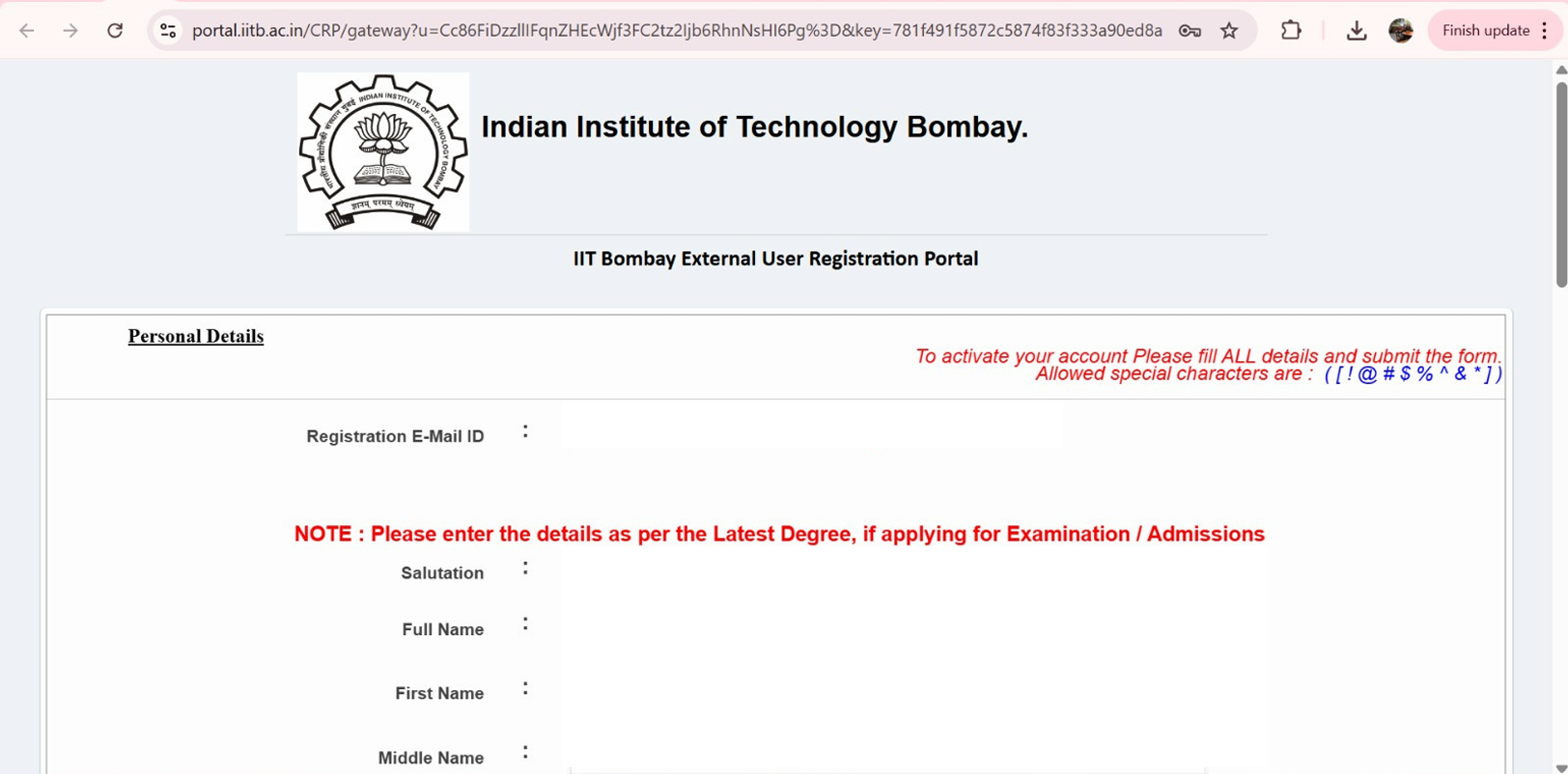
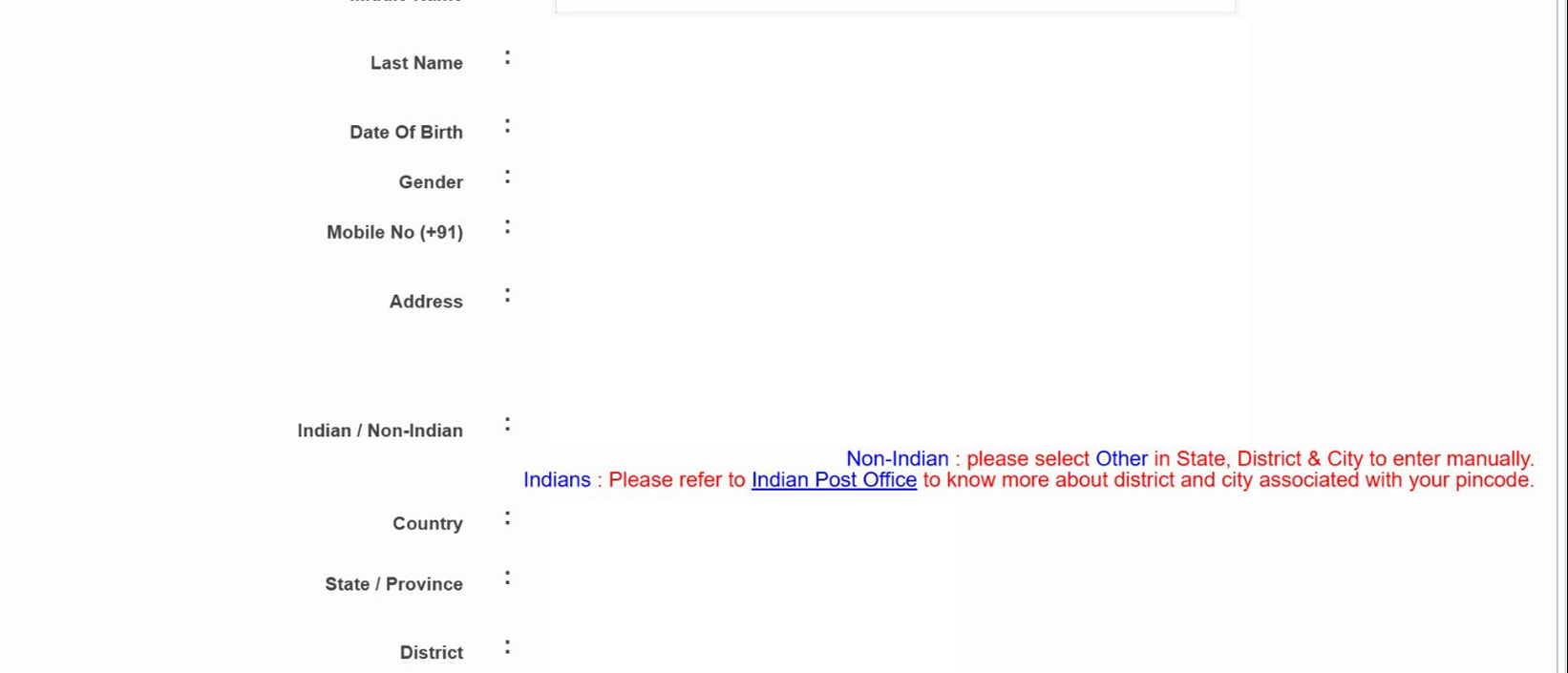
4) Enter password + captcha and click on register.
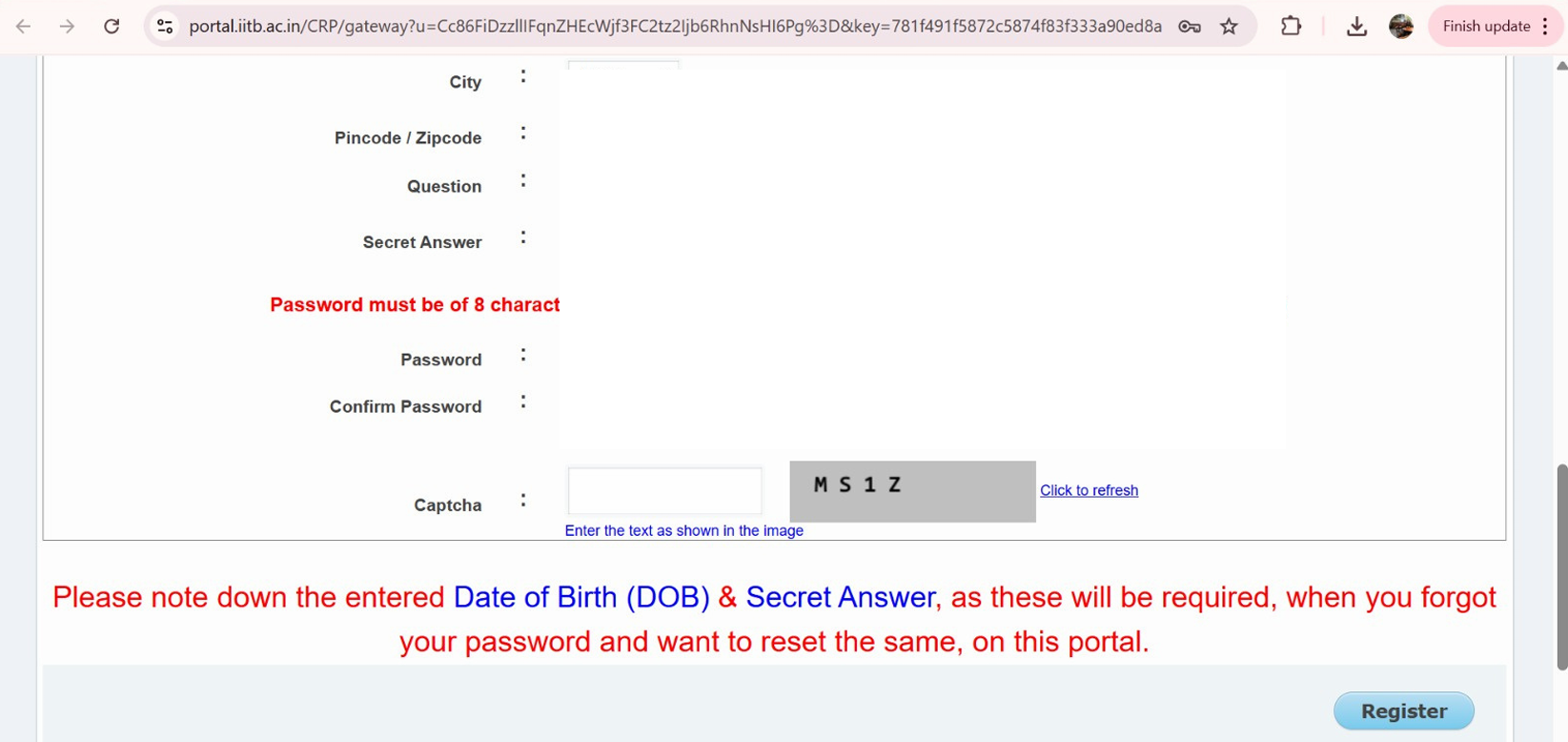
Step 3: Login and Start the Application
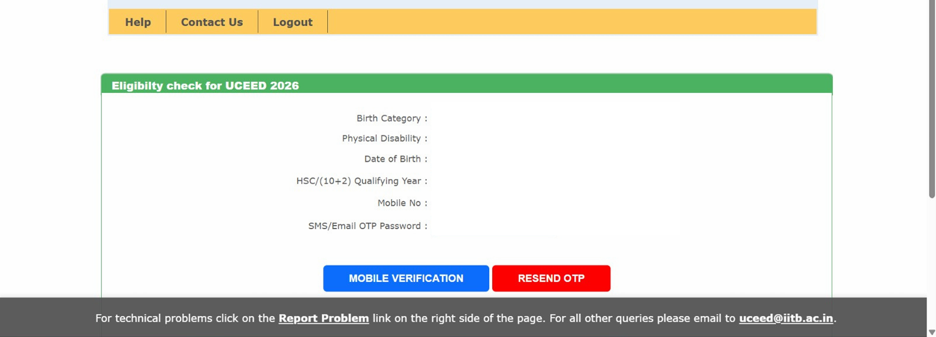
1) After successful registration, log in with your credentials and click “Start New Application” to start filling the UCEED 2027 Application Form.
2) The application form has multiple sections. Fill them carefully one by one. The first step is your eligibility check and mobile verification.
Step 4: Fill Personal Details
Enter the following exactly as per your official documents:
- Full Name (as per Class XII certificate)
- Gender
- Nationality
- Category (GEN/OBC-NCL/SC/ST/EWS)
- PwD status (if applicable)
- Date of Birth
- Communication address
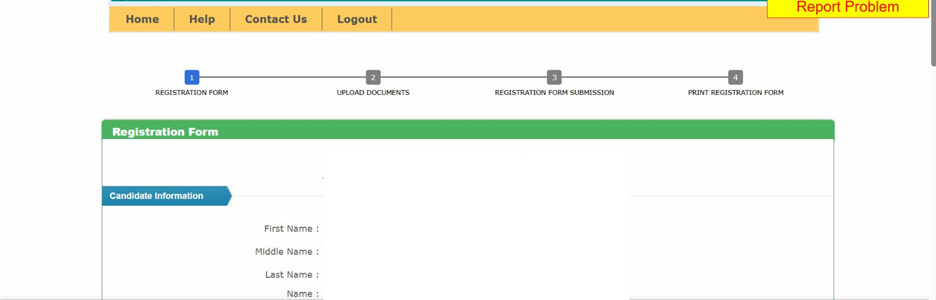
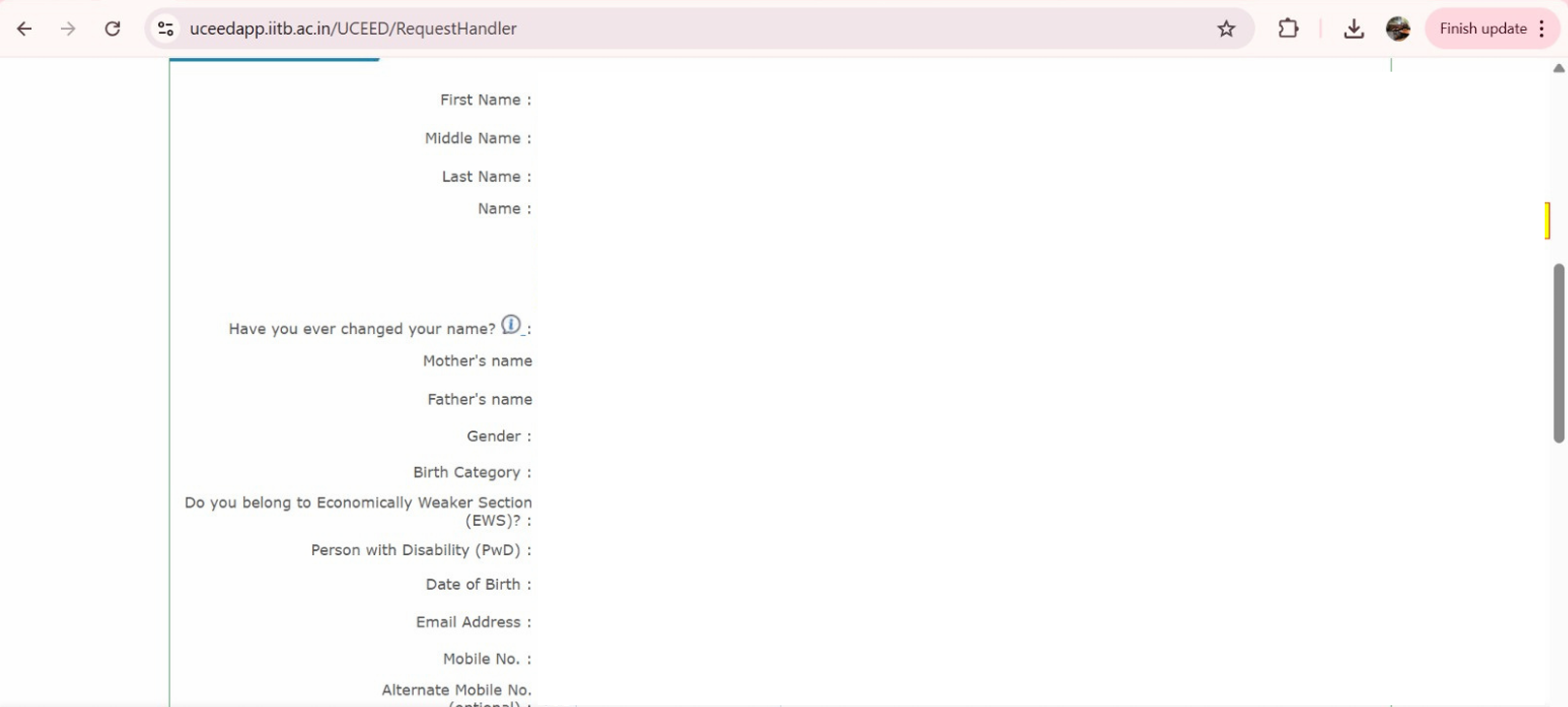
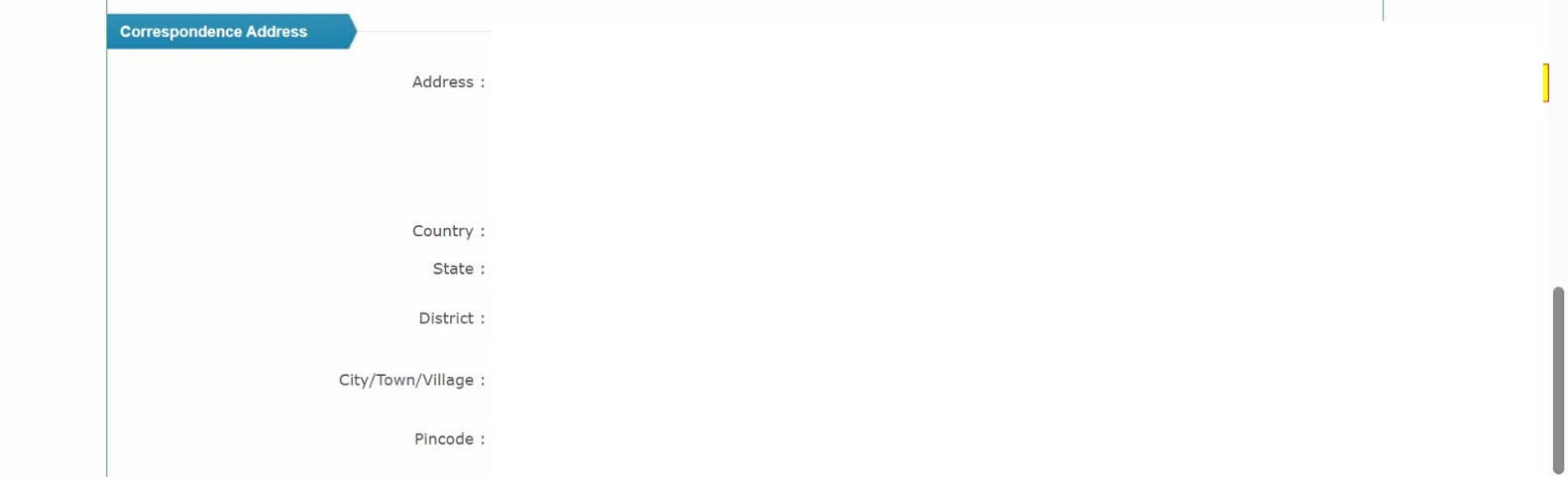
Tips: Avoid spelling errors. Even a small mismatch in name or DoB can cause rejection or discrepancies later during admission.
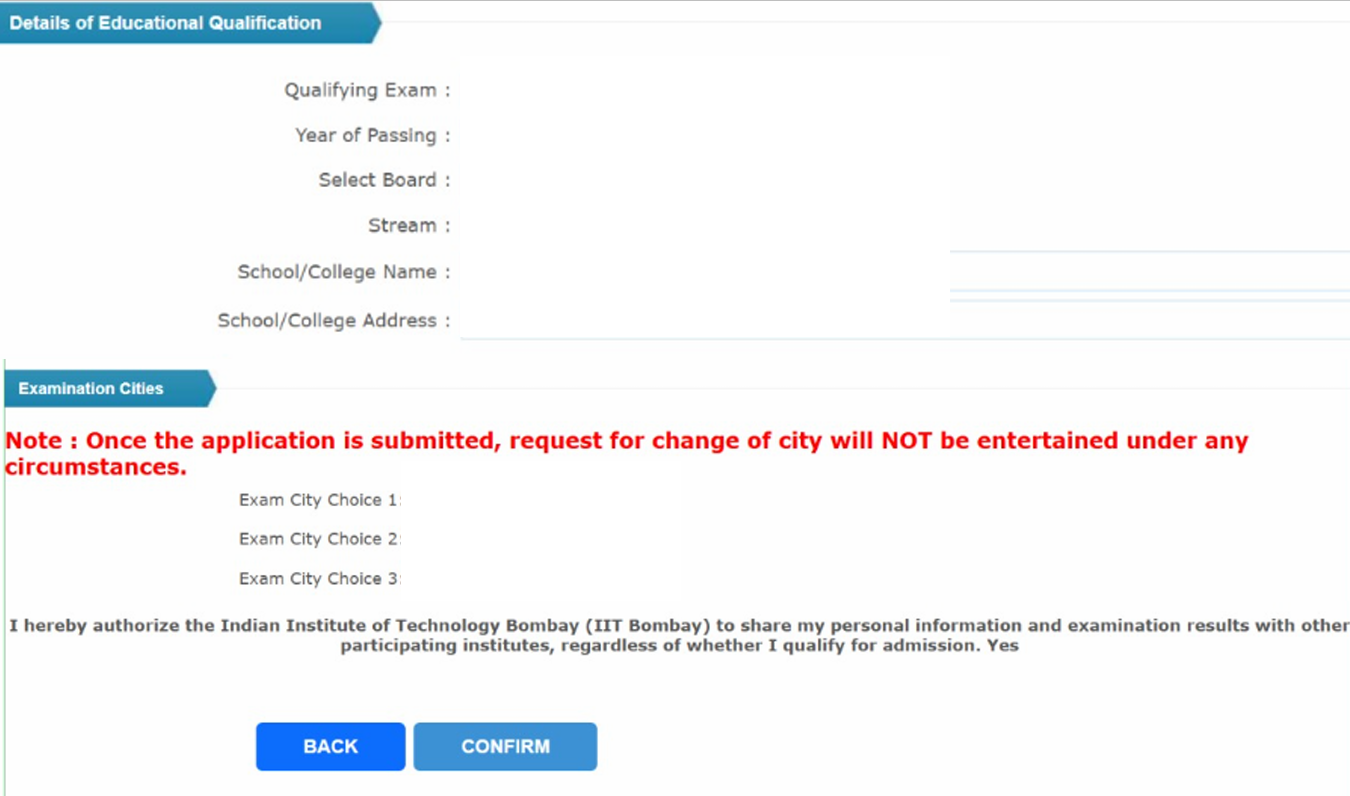
Step 5: Fill Educational Qualification Details and Choose Exam City Preferences
1) Enter your Board Name, Year of Passing (2025) or Appearing Year (2027).
2) Mention your school/college name and city.
3) Select the qualifying exam type (CBSE, ISC, State Board, etc.).
4) If you are appearing for Class 12 in 2027, you will need to upload a Principal/School certificate (Annexure B) confirming your eligibility - [more details on this later]
5) Select three preferred exam cities from the drop-down list. Choose wisely - once submitted, requests for change are rarely accepted.
Step 6: Upload Required Documents
Upload clear, legible and scannable documents in the prescribed format and size as discussed below at this stage of filling the UCEED application form (Use Central Government formats only):
|
Item |
Format & Notes |
|
Recent color photograph (front-facing; 70-80% face; taken within 6 months) |
JPEG (.jpg) |
|
Full signature on white paper |
JPEG (.jpg) |
|
Proof of age (SSC certificate / Passport / Birth certificate) |
PDF (.pdf) |
|
Qualifying exam certificate (if already appeared in 2026) |
|
|
If appearing in 2027 Class XII: Principal/Board certificate (Appendix-1 format) |
|
|
Category certificates (as applicable) - OBC-NCL / EWS / SC / ST (Central Govt. format) |
|
|
PwD - UDID or as per brochure format |
|
|
OCI/PIO card (if applicable) |
|
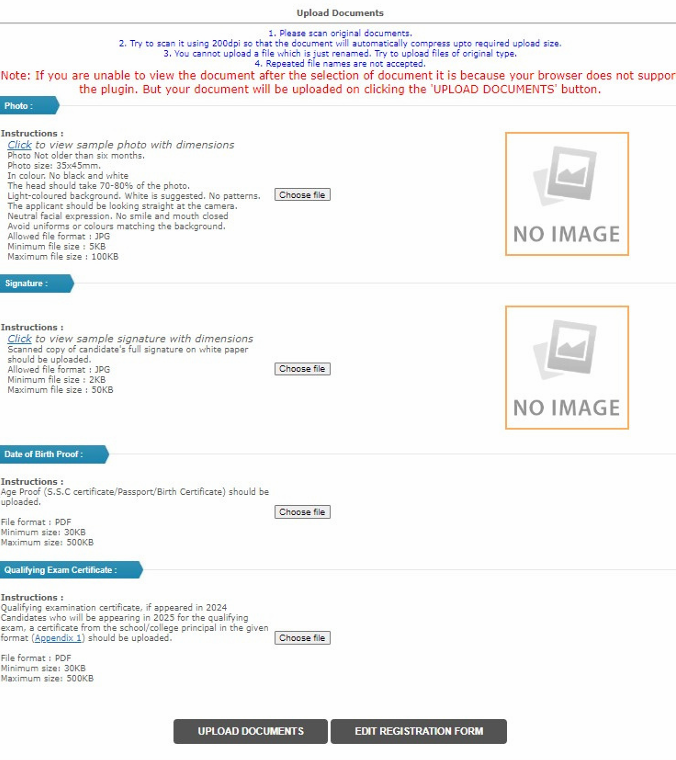
Tip: File names should be simple (e.g., “photo.jpg”, “dob.pdf”). Avoid special characters.
Step 7: Review Your Form Carefully
Before proceeding to payment, review every section - personal info, educational details, and uploads.
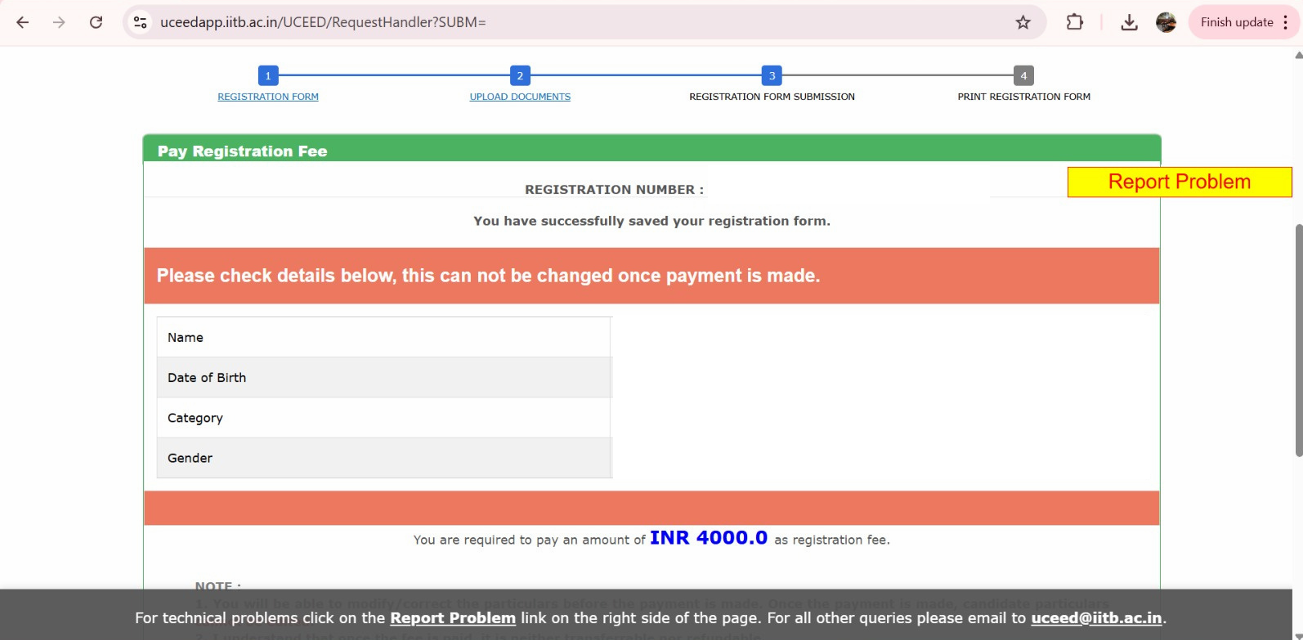
Note: Editing is limited after payment. Double-check photo clarity, category certificates, and Annexure B uploads before submission.
Step 8: Pay the UCEED Application Fee for 2027
Select your payment mode (debit card/credit card/net banking) and complete the transaction.
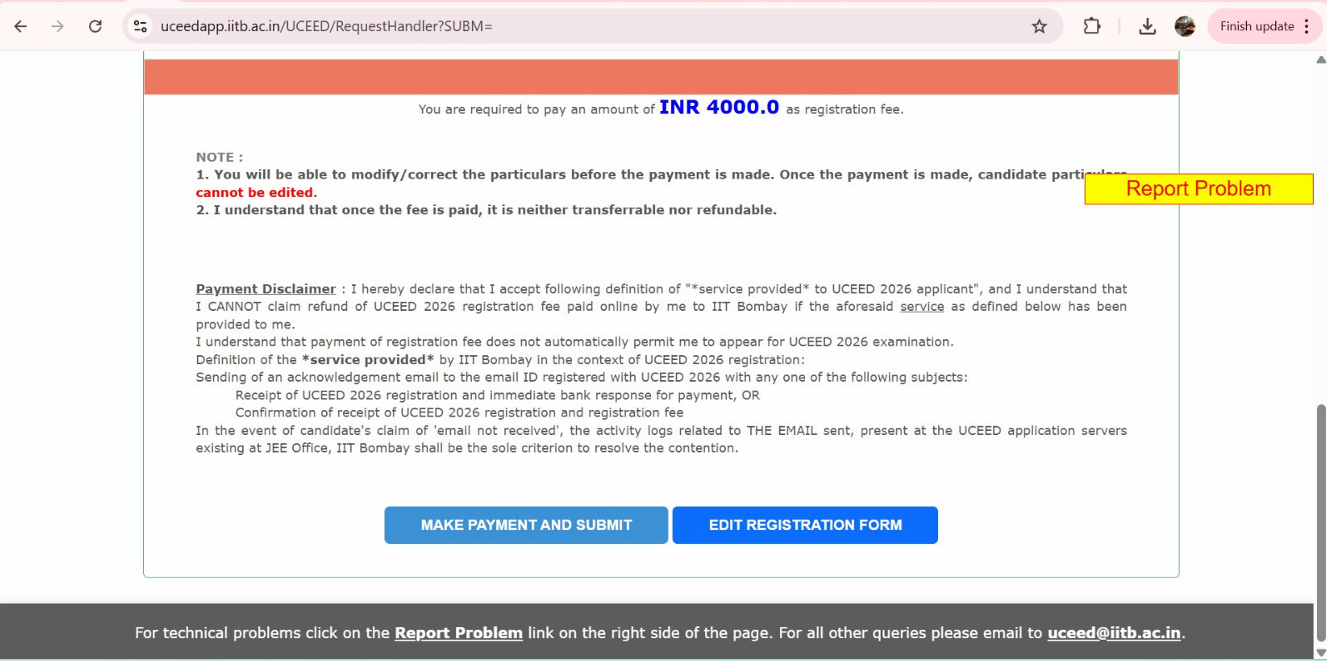
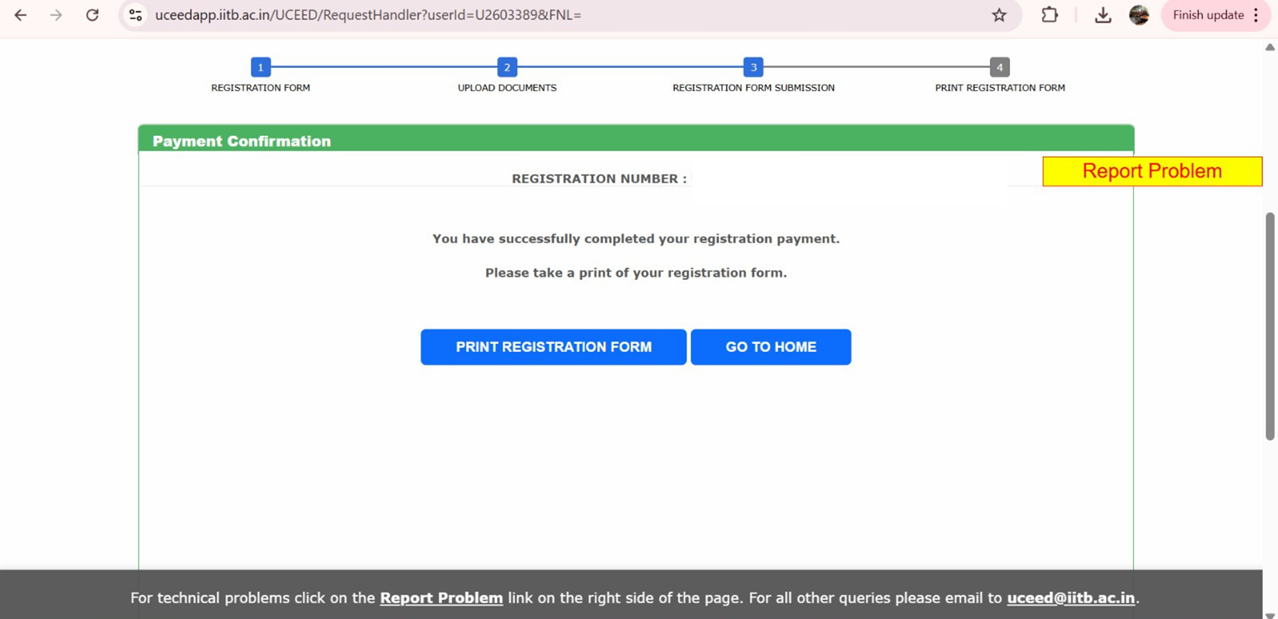
Step 9: Download Confirmation Page & Acknowledgement
- Once payment is complete, download and save your Application Summary & Payment Receipt.
- Keep this PDF safe until the entire admission process is over.
UCEED Registration Fee 2027
After uploading all the required documents, you are redirected to the payment window. The UCEED application fee is paid online only (net banking, debit/credit card) and is non-refundable. The application form fee varies for Indian Nationals and Foreign Nationals. Check out the table below to know the tentative fee details for UCEED application fee 2027.
UCEED 2027 Registration Fee Structure
| Nationality | Candidate | Registration Fee |
|---|---|---|
| Indian Nationals | Female (all categories) | ₹2,000/- |
| SC, ST, PwD | ₹2,000/- | |
| Rest | ₹4,000/- | |
|
Foreign Nationals (holders of valid OCI/PIO cards issued before 4th March 2021) |
Female | ₹2,000/- |
| PwD | ₹2,000/- | |
| Rest | ₹4,000/- | |
| Foreign Nationals (including holders of valid OCI/PIO cards issued on or after 4th March 2021) | From SAARC countries | US$ 200 / ₹19,200 (converted into Indian Rupees (INR) at the prevailing USD-INR exchange rate on 1 October 2026 (US$1 = ₹96)) |
| From Non-SAARC countries | US$ 250 / ₹24,000 (converted into Indian Rupees (INR) at the prevailing USD-INR exchange rate on 1 October 2026 (US$1 = ₹96)) |
Note: The registration fees shown above do not include service charges, processing fees, and/or any other charges that banks may impose.
Before the UCEED exam form release in October, make sure you are familiar with the UCEED 2027 exam syllabus so you could plan your preparation accordingly.
Details Asked in UCEED Application Form 2027
Given below are the details to be entered during the online UCEED registration details 2027:
| Field | What to enter |
|---|---|
| Full name | Exactly as mentioned on your Class 10th certificate |
| Date of birth | DD/MM/YYYY, as on your Class 10th certificate |
| Gender | Male / Female / Transgender |
| Category | OPEN / EWS / OBC-NCL / SC / ST (+ PwD if applicable) |
| Nationality | Indian / OCI / PIO / Foreign National |
| Mobile number | Valid 10-digit number |
| Active until counselling ends | |
| Address, State, District, City, PIN | Complete and correctly spelt |
| Password | For future logins (note it down) |
Filling the form is only the first step. To actually clear the UCEED exam you'd have to follow a toppers-approved UCEED study plan that'll not only help you with exact steps to follow till the 2027 exam, but also mock strategy and UCEED important topics to prioritize in the last few months.


UCEED 2027 Application Form - Exam Registration vs B.Des Admission
Many applicants get confused between these two. Filling the UCEED 2027 application form before the exam only makes you eligible to appear for the exam - it does not apply you to any college.
Later, only if you clear the exam, you will be required to fill a separate B.Des admission form during counselling (usually around March 2027), where you list your campus & course preferences for seat allotment.
As IIT Bombay states, cracking UCEED does not by itself guarantee a seat - qualified candidates must apply separately for B.Des admission. Note that there will be a common application form for admission to B.Des programs of all respective participating colleges, namely:
- IIT Bombay
- IIT Delhi
- IIT Guwahati
- IIT Hyderabad
- IIT Indore
- IIT Roorkee
- IITDM Jabalpur
Across these institutes there are around 245 B.Des seats in total, divided category-wise and campus-wise. For the full breakdown, see our detailed UCEED seats and UCEED participating colleges guides.
You can submit the UCEED application form 2026 after paying the application processing fee, uploading digital copies of relevant supporting documents, and uploading the signed copy of the completed application form.
The following are the steps to follow the B. Des application form for UCEED college admissions:
- Check the eligibility criteria
- Check seat matrix
- Verify UCEED 2026 details
- Fill out the application form
- Upload required documents
- Pay the admission fee
- Submit the form
- Take the printout of the registration form for UCEED
You can edit your UCEED B.Des application form, including the order of preference of institutes, and resubmit it by the closing date of the application period. However, all institute choices and information filled in the applications are final after the closing date.
Even if an IIT seat doesn't come through, your score still counts - several private universities accept the UCEED score for design admission.
Documents Required for UCEED Registration 2027
You must submit the following documents while completing the UCEED registration form for B.Des programs.
| Document | Who needs it | Format | Key requirement |
|---|---|---|---|
| Recent color photograph | All candidates | JPEG (.jpg) | Visible front face, clearly identifiable, head covering 70-80% of the picture, and taken within the last 6 months. |
| Signature | All candidates | JPEG (.jpg) | Candidate's full signature on white paper, clearly scanned. |
| Proof of age | All candidates | PDF (.pdf) | SSC certificate, Passport or Birth certificate. |
| Qualifying examination certificate | Candidates who passed Class 12th in 2026 | PDF (.pdf) | Class 12th marksheet/certificate (or equivalent) |
| Principal's certificate (Appendix 1) | Candidates appearing in Class 12th in 2027 | PDF (.pdf) | Certificate from the principal of your school/college in the prescribed format. |
| Gazette notification for name change | If name differs from the Class 12th certificate | PDF (.pdf) | Official gazette notification showing the name change. |
| Category certificate | EWS / OBC-NCL / SC / ST / PwD applicants | PDF (.pdf) | OBC-NCL (Appendix 2); Caste for SC / Tribe for ST (Appendix 3); EWS (Appendix 4); PwD via UDID certificate/card or Appendices 5-7. Must be issued by a competent authority. |
| Dyslexia forms (Appendices 8 & 9) | Dyslexic candidates (in place of a PwD certificate) | PDF (.pdf) | FORM-DYSLEXIC 1 and 2; must state 'SEVERE' to qualify for PwD benefits. |
| Scribe / compensatory-time request (Appendix 11) | PwD candidates needing a scribe and/or extra time | PDF (.pdf) | Request letter uploaded with the PwD certificate. Compensatory time for Part-A cannot be carried over to Part-B, or vice versa. |
| Nationality proof + OCI/PIO card | Foreign nationals (OCI/PIO issued before 4 March 2021) | PDF (.pdf) | Valid Passport as nationality proof; OCI/PIO card issued before 4 March 2021. |
| Nationality proof + OCI/PIO card | Foreign nationals (OCI/PIO issued on/after 4 March 2021) | PDF (.pdf) | Valid Citizenship Certificate/Foreign Passport as nationality proof; valid OCI/PIO card. |
All uploaded documents are subject to verification. Candidature is cancelled at any stage if any information or document is found false. Confirm exact file-size limits again in the official 1 October 2026 brochure.
Understanding Annexure B - The Most Common Confusion in UCEED Application Form
Every year, students who are currently in Class 12 (appearing in 2027) face confusion about what Annexure B is and who should upload it.
Here’s the clear explanation:
What is Annexure B?
Annexure B is a certificate format provided in the official UCEED brochure.
It is a Declaration from the School/College Principal or Head confirming that:
- You are currently studying in Class XII (or equivalent).
- You will appear for the qualifying examination in 2027.
This document is mandatory for students who have not yet received their Class 12 marksheet or certificate.
Who Must Upload Annexure B?
✅ Students appearing for Class XII in 2027 (not yet passed).
❌ Students who have already passed Class XII in 2025 or earlier do not need to upload Annexure B - they must upload their marksheet/certificate instead.
How to Fill Annexure B
1. Download the format from the UCEED 2027 Information Brochure (Appendix-1).
2. Get it printed on the school letterhead (if available).
3. Fill in your name, school name, board, and expected exam month/year (2027).
4. Get it signed and stamped by the school principal/head.
5. Scan the signed document as a PDF file and upload it under “Qualifying Examination Proof.”
Why This Matters:
1. Your application will be rejected if Annexure B is not uploaded properly (for 2027 appearing candidates).
2. Without it, IIT Bombay cannot verify your eligibility to appear for UCEED 2027.
_(1)1764330056.webp)
Personal Details Asked During UCEED Registration 2027
Given are the personal details asked for in the UCEED Application Process:
| Name | Mention your full name given in your Class X certificate |
| Have you ever Changed your Name (Yes/No) | Choose between Yes/No |
| Gender | Choose between Male, Female, and Transgender |
| Category | Mention if you are General, OBC, SC, ST, PwD, or other categories |
| Person with Disability | Mention if you are disabled or not |
| Date of Birth | Enter the date of birth in the standard format |
| Mention valid email ID functional until the counselling process | |
| Mobile Number | Give your 10-digit valid contact number |
Educational Qualification Details for UCEED 2027 Registration
Mentioned below are the education qualification details to be entered during the online process for the exam -
- Qualifying exam: name of the exam you passed or are appearing for + year of passing.
- Board: the board conducting your Class 12th exam (CBSE, ICSE, or State Board).
- Stream: the stream you took in Class 12th (Science, Commerce, or Arts & Humanities).
- School/College name and address: as per your official records.
Once you complete your UCEED exam registration process, check the UCEED application status of your UCEED exam application form.
Check: What is a Good Score in UCEED 2027
UCEED 2027 Application Form Correction
IIT Bombay does not allow corrections in the UCEED registration form. Hence, you are advised to read first and then complete the UCEED application form 2027 carefully and correctly.
The authorities will reject application forms that are incorrect/ incomplete, and the application will be considered invalid.
Note that you will not be allowed to make corrections to the form once submitted.
What You're Applying For? UCEED 2027 Exam Pattern in Brief
Before you fill the form, it helps to know what the exam looks like. UCEED 2027 is held in a single sitting on 17 January 2027, from 9:00 AM to 12:00 Noon, in English only, and has two parts:
- Part A (computer-based, online): objective questions - Numerical Answer Type (NAT), Multiple Select Questions (MSQ) and Multiple Choice Questions (MCQ) - testing visualisation, observation, reasoning and design aptitude.
- Part B (on paper, at the centre): a drawing question that tests your sketching, composition and rendering.
Only Part A is used to shortlist candidates; Part B is evaluated for those who clear the Part A cut-off. For the full breakdown, see our UCEED exam pattern and syllabus guides.
After You Submit the UCEED Application Form 2027- What Next?
1. Admit card
Download around January 2027; verify name, category, exam city, and photo/signature. Report discrepancies as instructed on the site.
2. Exam day guidelines
Read the brochure’s “Day of the Examination” section for reporting time, permitted items, scribe/compensatory time rules (if applicable).
3. Results, scorecard & rank lists
UCEED publishes results/rank lists as per the official schedule in the brochure. (The score is valid for admissions only in AY 2027-28.)
4. Separate B.Des Admissions Application (post-result)
Very important: After qualifying UCEED 2027, you must fill a separate, common B.Des admission application via the IIT Bombay Admissions Portal (link will appear on the UCEED website).
- You’ll indicate institute preferences (IITB, IITD, IITG, IITH, IITI, IITR, IIITDMJ).
- Counselling/processing fee: ₹4,000 (non-refundable).
- Multiple seat allotment rounds are conducted based on AIR, category & seat availability.
Filling this form is step one. Read what happens after you crack UCEED so the counselling and B.Des stages don't catch you off guard.
Conclusion
Although filling the UCEED application form 2027 is a 20-minute task, but it's also where a surprising number of capable candidates unknowingly disqualify themselves - long before they ever sit the exam. Not because the form is hard, but because UCEED gives you no second chance to fix it. One wrong click, saved and paid for, is permanent.
So before you hit submit, run a thorough check, especially on the fields that cause the most avoidable damage - the ones a correction window would normally save you from:
- Name and date of birth: must match your Class 10 certificate character-for-character, not your Aadhaar or your everyday spelling. Mismatches surface at document verification.
- Category: your EWS / OBC-NCL / SC / ST / PwD selection in the form decides your fee, your UCEED exam cut-off and your seat. Choosing wrong - or leaving it default - is one of the costliest slips.
- Exam-city preferences: you rank three cities, and the order is final. You cannot swap them after submission, so think about travel and logistics now, not in January.
- Qualifying-exam year: your "first appeared" year sets your eligibility. Enter it exactly as it happened.
- Photo and signature specs: rejections here are almost always about file size and format, not the image. Getting these right first time saves a frantic re-upload near the deadline.
What's ahead is where the seat is actually won. Build Part A speed and a daily sketching habit for Part B. Only around 245 seats open each year across the seven institutes, so the margin between "applied" and "admitted" is preparation, not paperwork.
Treat today's form as the starting line, not the finish. Register carefully, then spend the next hundred-odd days becoming the designer those seven campuses are looking for.

Attempt a Free UCEED Mock Test
Fill your details
Frequently Asked Questions
Can I edit my application after submission?

What is the UCEED application fee for 2027?
Which academic stream should I study in to be eligible for UCEED 2027 Exam?
Can I fill the UCEED 2027 Application Form in offline mode?
Can I register for UCEED now?
Is UCEED conducted twice a year?
What is the registration fee for UCEED 2027?
When is last date of UCEED registration 2027?
Vineeta Agrawal
Communications Executive
SHARE