
1723534562.png)

IPMAT Application Form 2027: Registration Dates, Fees, Eligibility & How to Apply (IIM Indore & Rohtak)
October 27, 2026
IPMAT Registration 2027 is the first step for students planning to apply for the 5-year Integrated Programme in Management offered by institutes such as IIM Indore and IIM Rohtak.
The IPMAT application form 2027 will be released separately by the respective IIMs on their official admission portals, and candidates must complete the online registration, upload the required documents, pay the application fee, and submit the form before the prescribed deadline
Candidates should note that IPMAT Indore and IPMAT Rohtak have separate registration processes, eligibility conditions, application fees, and exam schedules. Before filling out the form, keep your academic details, photograph, signature, valid ID proof, category certificate (if applicable), email ID, and mobile number ready.
Completing the IPMAT Registration 2027 accurately and within the deadline is essential, as incorrect details or incomplete payment may affect your IPMAT application status.
Every year, thousands of students register for the IPMAT entrance exam to secure admission to the prestigious five-year Integrated Programme in Management.
Official IPMAT 2027 Registration Links
Candidates should complete the IPMAT Application Form only through the official IIM admission websites. The IPMAT 2027 registration links will become active once the respective institutes release their admission notifications.
IPMAT Indore 2027: Visit Official IIM Indore IPM Admission Page
IPMAT Rohtak 2027: Visit Official IIM Rohtak IPM Admission Page
Note: IPMAT 2027 Registration has not started yet. Bookmark these official pages and check them regularly for the application form, registration dates, fees, eligibility criteria, application form, registration dates, fees, eligibility criteria, and other admission updates
IPMAT Application Form 2027: Direct Link for IPMAT Indore
IPMAT Application Form 2027: Direct Link for IPMAT Rohtak
The registration process includes online IPMAT application submission, document upload, fee payment, and final confirmation through the official admission portals. Before filling out the application form, it is important to understand which exam you need to apply for and whether you meet the eligibility criteria.
Key Highlights of IPMAT Registration 2027
- IPMAT 2027 Registration is expected to begin in February 2027.
- IIM Indore and IIM Rohtak have separate IPMAT application forms.
- Previous-year pass-outs for Indore and for IPMAT Rohtak students must have completed class 12th by the end of June
- The registration process includes form filling, document upload, and fee payment.
- Keep your photo, signature, marksheets, and certificates ready before applying.
- The IPMAT registration fee varies by institute and category.
- Download the confirmation page and payment receipt after successful submission.
If you're searching for IPMAT Exam Registration 2027, IPMAT Application Form 2027, IPMAT Exam Registration, IPMAT Indore Registration, or IPMAT Registration Fees, this guide covers everything you need to know, from eligibility and application dates to document specifications, correction windows, payment troubleshooting, and frequently asked questions.
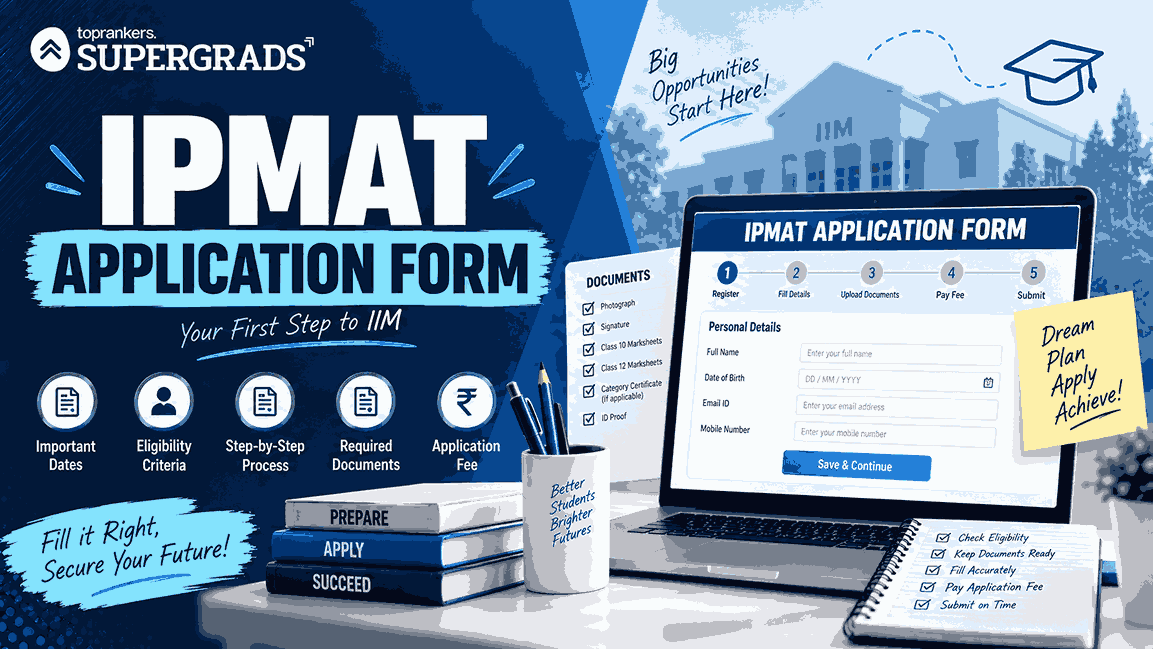
IPMAT Registration 2027: Important Dates and Schedule
While the official notification for IPMAT 2027 Registration is yet to be released, candidates can refer to previous admission cycles to understand the expected timeline and key IPMAT 2027 registration details.
| Particulars | IPMAT Indore 2027 | IPMAT Rohtak 2027 |
| Conducting Institute | IIM Indore | IIM Rohtak |
| Notification Release | January 2027 | January 2027 |
| Registration Window | Feb – March 2027 | Feb –April 2027 |
| IPMAT Application Mode | Online | Online |
| Official Website | iimidr.ac.in | iimrohtak.ac.in |
| IPMAT Application Fee for (General/OBC) | ₹4,130 | ₹4,937 |
| IPMAT Application Fee for (SC/ST/PwD) | ₹2,065 | ₹4,937 |
| Exam Mode | Computer-Based Test | Computer-Based Test |
| Exam Month | May 2027 | May 2027 |
| Result Announcement | June 2027 | June 2027 |
| PI Round | June–July 2027 | June–July 2027 |
| Final Merit List | July 2027 | July 2027 |
Note: Students are advised to complete their application well before the deadline to avoid server issues and payment-related problems during the final days of registration.
IPMAT Registration 2027 Eligibility Criteria
Before filling out the application form, candidates must ensure that they meet the eligibility requirements prescribed by the respective institutes.
What is the Eligibility for IPMAT Indore 2027?
Candidates are generally required to:
- Have completed Class 10 and Class 12 from a recognised board.
- Meet the age criteria specified in the official notification.
- Satisfy category-specific relaxation rules, if applicable.
What is the Eligibility for IPMAT Rohtak 2027?
Candidates applying for IPMAT Rohtak must:
- Have passed or are appearing in Class 12.
- Must have 60% in X and 55% XII and the maximum age of 20 (25 for SC/ST) as of June 30, citing the official page
- Meet the age eligibility criteria.
- Provide valid supporting documents for reservation claims.
Candidates should always verify the latest IPMAT eligibility conditions through the official admission notification before applying.
Once you have confirmed your eligibility, go through the IPMAT syllabus 2027 to plan your preparation section by section.
IPMAT Registration 2027: How to Fill the Application Form?
Important: IPMAT Indore and IPMAT Rohtak have separate application forms and fee payment processes. If you want to apply for both, you must complete both registrations on their respective portals.
Step-by-Step: IPMAT Indore Application Form 2027
- Open the official IPMAT Indore application portal and click on New Registration.
- Enter basic details (name, email, mobile number) and generate your login credentials.
- Log in and fill your personal details (DOB, category, address, etc.).
- Enter academic details for Class 10 and Class 12 (board, year, marks as asked).
- Upload your photograph and signature as per the size/format instructions shown on the portal.
- Pay the application fee online and submit the form.
- Download and save the application confirmation page and fee receipt for future reference.
Indore application window: Feb to March, 2027.
Step-by-Step: IPMAT Rohtak Application Form 2027
- Visit the official IIM Rohtak website and open the IPM/IPMAT 2027 registration link.
- Click New Register and create your account using your email and mobile number.
- Log in to the portal and start the application form (your application number is generated; save it).
- Fill personal details, then add contact details carefully (use an active email & number).
- Enter academic details (Class 10 & 12 information as required).
- Upload a photo/signature in the prescribed format and verify each field.
- Pay the fee online, submit the form, and download the confirmation page/receipt.
Rohtak application window: Feb to April 2027.
Quick Checklist Before You Submit the IPMAT 2027 Application Form
- Your name, DOB, and category match your documents.
- Photo & signature meet the portal size/format rules.
- Class 10/12 details are entered exactly as on the marksheets.
- You downloaded the confirmation page + payment receipt.
IPMAT Registration 2027: Documents Required
Keeping the required documents ready before starting the registration process can help avoid last-minute errors.
Essential Documents Required
- Recent Passport-Size Photograph
- Candidate Signature
- Class 10 Marksheet
- Class 12 Marksheet (if available)
- Valid Email ID
- Active Mobile Number
- Category Certificate (if applicable)
- PwD Certificate (if applicable)
- Government-Issued Photo ID Proof
Preparing these documents in advance can make the application process faster and smoother.
IPMAT Application Form 2027: What to Do After Submission?
- Download confirmation page: Save the submitted application PDF/acknowledgement and the fee receipt.
- Check your email/SMS: Keep login credentials, application number, and payment reference safe.
- Track admit card updates: Admit card links usually appear on the same official portal. Bookmark the page.
- Verify details early: If the institute opens a correction window (only if announced), update errors immediately.
- Prepare documents for verification: Keep original marksheets/ID/category certificates ready for later stages.
Pro tip: Don’t wait for the last day. Application portals often slow down near deadlines, and payment failures are common during peak traffic.
After submitting the form, start solving IPMAT previous year question papers to understand the exam pattern and difficulty level.
IPMAT Registration 2027: Photograph and Signature Specifications
One of the most common reasons for application rejection is incorrect document upload.
Candidates should carefully follow the image specifications mentioned in the official application form.
| Document | Format | Background | Important Guidelines |
| Photograph | JPG/JPEG | White or Light Background | Recent colour photograph with clear face visibility |
| Signature | JPG/JPEG | White Background Preferred | Signature should match future admission records |
| Category Certificate | Clear Scan | Upload only valid certificates | |
| PwD Certificate | Clear Scan | Ensure all details are visible |
Important Tips Before Uploading Documents
- Avoid selfies and heavily edited photographs.
- Ensure images are not blurred.
- Use clear scans for certificates.
- Double-check file size limits before uploading.
- Preview uploaded documents before final submission.
These simple precautions can prevent application rejection during verification.
Read: IPMAT Exam Day Instructions 2027
IPMAT Registration Payment Failed? Here’s What to Do
Payment-related issues are among the most common problems faced during IPMAT registration.
Common Payment Problems During IPM Registration
- Amount deducted but form shows unpaid.
- Payment page freezes.
- Confirmation page not generated.
- Transaction timeout.
- Double payment deduction.
How Can You Resolve Payment Issues?
If payment is deducted but the application status remains incomplete:
- Wait 24–48 hours for payment reconciliation.
- Check the application dashboard again.
- Verify email and SMS notifications.
- Do not submit a fresh application immediately.
- Contact the admission helpdesk if the issue persists.
IPMAT Application Form Correction 2027: Can You Edit the Form After Submission?
Yes, most institutes provide a correction window after the registration deadline.
However, the correction facility is available only for a limited period.
What Details Can Usually Be Edited?
| Editable Fields for IPMAT Indore | Usually Allowed |
| Photograph | Yes |
| Signature | Yes |
| Academic Details | Yes |
| Category Details | Yes |
| Test City Preference | Yes |
Note: The window is open for only 2 days and the edits were allowd only once.
What Details Usually Cannot Be Edited?
| Non-Editable Fields | Usually Restricted |
| Candidate Name | No |
| Date of Birth | No |
| Registered Email ID | No |
| Mobile Number | No |
Candidates should carefully verify all details before final submission to avoid complications later.
Check: IPMAT Seats 2027
IPMAT 2027 Registration vs JIPMAT Registration: What Is the Difference?
Yes. This is one of the most common areas of confusion among students.
Many candidates mistakenly assume that IPMAT and JIPMAT are the same examination. However, they are separate entrance tests conducted by different authorities for different institutions.
| Examination | Conducting Body | Institutes Covered |
| IPMAT Indore | IIM Indore | IIM Indore and participating institutes |
| IPMAT Rohtak | IIM Rohtak | IIM Rohtak |
| JIPMAT | NTA | IIM Jammu and IIM Bodh Gaya |
If your goal is admission to IIM Indore or IIM Rohtak, you must complete the respective IPMAT 2027 registration process.
Candidates interested in IIM Jammu or IIM Bodh Gaya need to apply separately through the JIPMAT examination.
Before proceeding with registration, make sure you understand which institute and examination align with your admission goals.
IPMAT 2027 Registration: What to Do After Successful Submission?
Many students believe the registration process ends after fee payment.
However, several important steps should be completed immediately after submission.
Post-Submission Checklist
- Download the Application Form
- Save the Confirmation Page
- Download the Payment Receipt
- Save the Application Number
- Save Login Credentials
- Check Email Confirmation
- Check SMS Confirmation
- Create a Backup Copy of Documents
Keeping these records safe will help during admit card download, result checking, and counselling.
Read: Common Mistakes to Avoid While Preparing for IPMAT Exam 2027
How Can You Check Your IPMAT Application 2027 Status?
Candidates can track the status of their application through the official portal.
Steps to Check Application Status
Step 1 : Visit the official website.
Step 2: Log in using:
- Application Number
- Password
Step 3: Navigate to the Application Dashboard.
Step 4: Verify the following:
- Application Status
- Payment Status
- Document Verification Status
- Admit Card Updates
If any discrepancy is found, contact the institute immediately.
IPMAT Registration 2027: How to Recover Password or Application Number
Forgetting login credentials is a common issue during the IPMAT admission cycle.
Fortunately, both institutes provide account recovery options.
If You Forgot Your Password
- Click on "Forgot Password".
- Enter your registered email ID.
- Verify your identity through OTP.
- Create a new password.
If You Forgot Your Application Number
- Click on "Retrieve Application Number".
- Enter your registered email ID and mobile number.
- Verify the OTP.
- Retrieve your application details.
What Should You Do If You Don't Receive the OTP?
Try the following:
- Check Spam Folder
- Wait 5–10 Minutes
- Use Another Browser
- Clear Browser Cache
- Contact the Admission Helpdesk
IPMAT 2027 Registration Helpdesk and Support
With good internet speed and a computer, completing the application online is not difficult.
However, if you still face any technical issues or have any queries, you can reach out to the following:
Helpdesk Contact Details:
| Exam / Institute | Contact Number | Email ID |
|---|---|---|
| IIM Indore (IPM) | 91 9513167688 | ipmadmissions@iimidr.ac.in |
| IIM Rohtak (IPM) | +91-1262-228541 | ipmadmission@iimrohtak.ac.in |
If you follow the instructions in this article, your IPMAT registration form filling process will likely be completed successfully.
Don't forget to complete and submit your application before the deadline to ensure it's considered!
IPMAT Registration 2027: Common Mistakes to Avoid
Even strong candidates sometimes make avoidable errors during registration.
Common Mistakes to Avoid
- Uploading blurred photographs
- Entering incorrect category information
- Using inactive email IDs
- Waiting until the last day to apply
- Forgetting to save the payment receipt
- Selecting the wrong exam city
- Uploading expired certificates
- Creating multiple applications
Pro Tip
Complete your IPMAT 2027 registration at least one week before the deadline to avoid server congestion and payment issues.
IPMAT Registration 2027: What to Remember Before Applying?
Before clicking the final submit button, ensure that:
- You meet the eligibility criteria.
- All documents are ready.
- Uploaded images meet the required specifications.
- Category certificates are valid.
- Payment has been completed successfully.
- Confirmation page has been downloaded.
- Login credentials are stored safely.
A few extra minutes spent reviewing your application can save you from major admission-related issues later.
Once your application is submitted, you can join IPMAT online coaching by SuperGrads to prepare for IPMAT Indore and Rohtak with live classes and mock tests.

Attempt a Free IPMAT Mock Test
Fill your details
Frequently Asked Questions
What is the last date to submit the IPMAT Rohtak 2027 application form?

What is the application fee for the IPMAT 2027?
Who can apply for IPMAT 2027?
Can I Correct IPMAT Registration form after final submission?
Is the IPMAT application form 2027 different for different categories?
Can I pay IPMAT application form in offline mode?
Do the IPMAT registration details differ for IIM Indore and IIM Rohtak?

Lalita Vishwakarma
Content Writer
SHARE