
1723534562.png)

UCEED Application Form 2027: Check Out Detailed Registration Process Instructions Here
July 1, 2026
Summary: The UCEED application form 2027 will begin later this year around October 2026. Aspirants looking forward to appear for the exam can check out the registration process and documents required for UCEED registration.
The UCEED exam grants admission into top IITs across India in their Bachelor of Design programs.
The article is curated to give you an idea about everything you must know for the UCEED B.Des application process. It covers the latest updates, important dates, eligibility criteria, application fees, how to fill out the form, and much more.
Latest updates on UCEED 2027 Application Form and Registration:
Registration window (regular fee): October, 2026 (expected)
UCEED 2027 Exam Date: Sunday, 17th January, 2027 (forenoon)
Apply via the official portal linked from uceed.iitb.ac.in
What is UCEED Application form 2027?
It’s the online registration you must complete to appear in UCEED 2027 - the Undergraduate Common Entrance Examination for Design conducted by IIT Bombay for admission to B.Des at IITs and other result-sharing institutes.
UCEED application for entrance exam and UCEED registration for B.Des admissions are two separate processes (the latter happens after results through a common admission application). Most students get confused between the two.
The UCEED application form is used to register for the entrance exam, whereas the UCEED counselling registration is a separate process conducted after the results for candidates seeking B.Des admission through seat allotment.
UCEED 2027 Eligibility (quick check)
You must have satisfied the following criteria to apply for the UCEED exam 2027.
1. Age limit: The candidate should have been born on or after October 1, 2002, if belonging to the OPEN/EWS/OBC-NCL category and, on or after October 1, 1997, if belonging to the SC, ST, or PwD category.
2. UCEED qualification: The candidate should have qualified, i.e., obtained a rank, in UCEED 2027.
3. Qualifying examination: The candidate should have passed all five subjects in the qualifying examination (Class XII or equivalent) in either 2026 or 2027. Those who appeared for the first time in their qualifying examination in 2025 or earlier are NOT eligible.
- Candidates from the Science Stream with Physics, Chemistry, and Mathematics as subjects are eligible to apply to all the five participating institutes. Candidates from any other stream are eligible to apply to IIT Bombay, IIT Delhi, and IIT Hyderabad.
- For admission to BDes at IIITDM Jabalpur, only students with Physics, Chemistry, Mathematics/Biology at 10+2 can apply.
- The candidates appearing for their qualifying examination (Class XII or equivalent) in 2027 must ensure that (a) all parts of their final examination are completed by the date of application for admission and (b) proof of having passed the qualifying examination with the required eligibility is submitted by the last date.
Check: UCEED Courses in India
UCEED 2027 Application Form Direct Link
Step-by-Step Process to Fill UCEED Application Form 2027
You can register for UCEED 2027 only through the official portal link on uceed.iitb.ac.in. The registration portal is expected to open for the next cycle from October 2026.
Make sure you keep all documents and certificates ready before you start - incomplete or incorrect uploads are one of the top reasons for application rejection.
Step 1: Visit the Official Website
1) Go to uceed.iitb.ac.in → Click on “Registration Portal” on the homepage.

2) You will be redirected to the UCEED 2027 registration portal hosted by IIT Bombay.
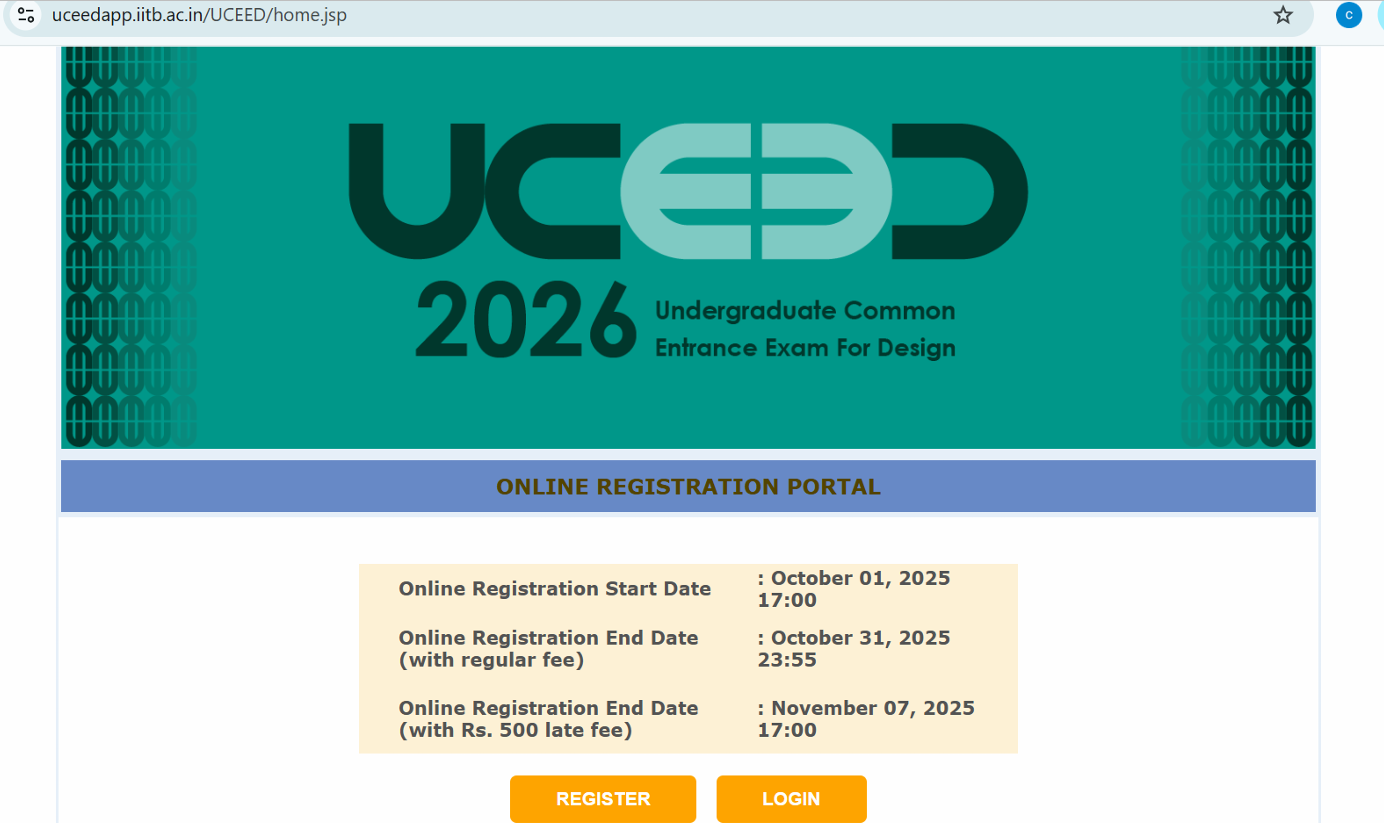
Step 2: Register and Create Candidate Account
1) If you are a new user, click “Register” to create an account.
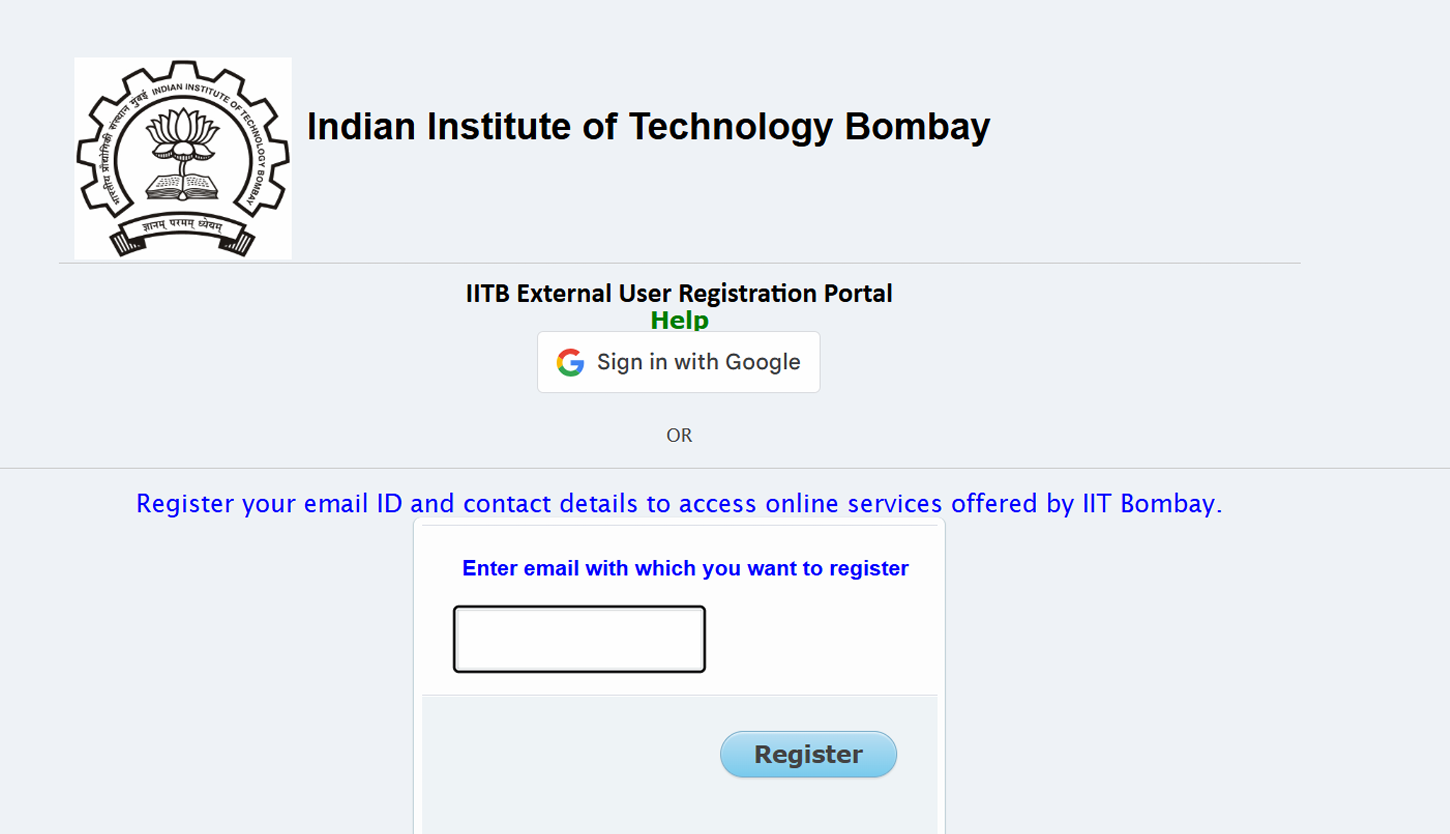
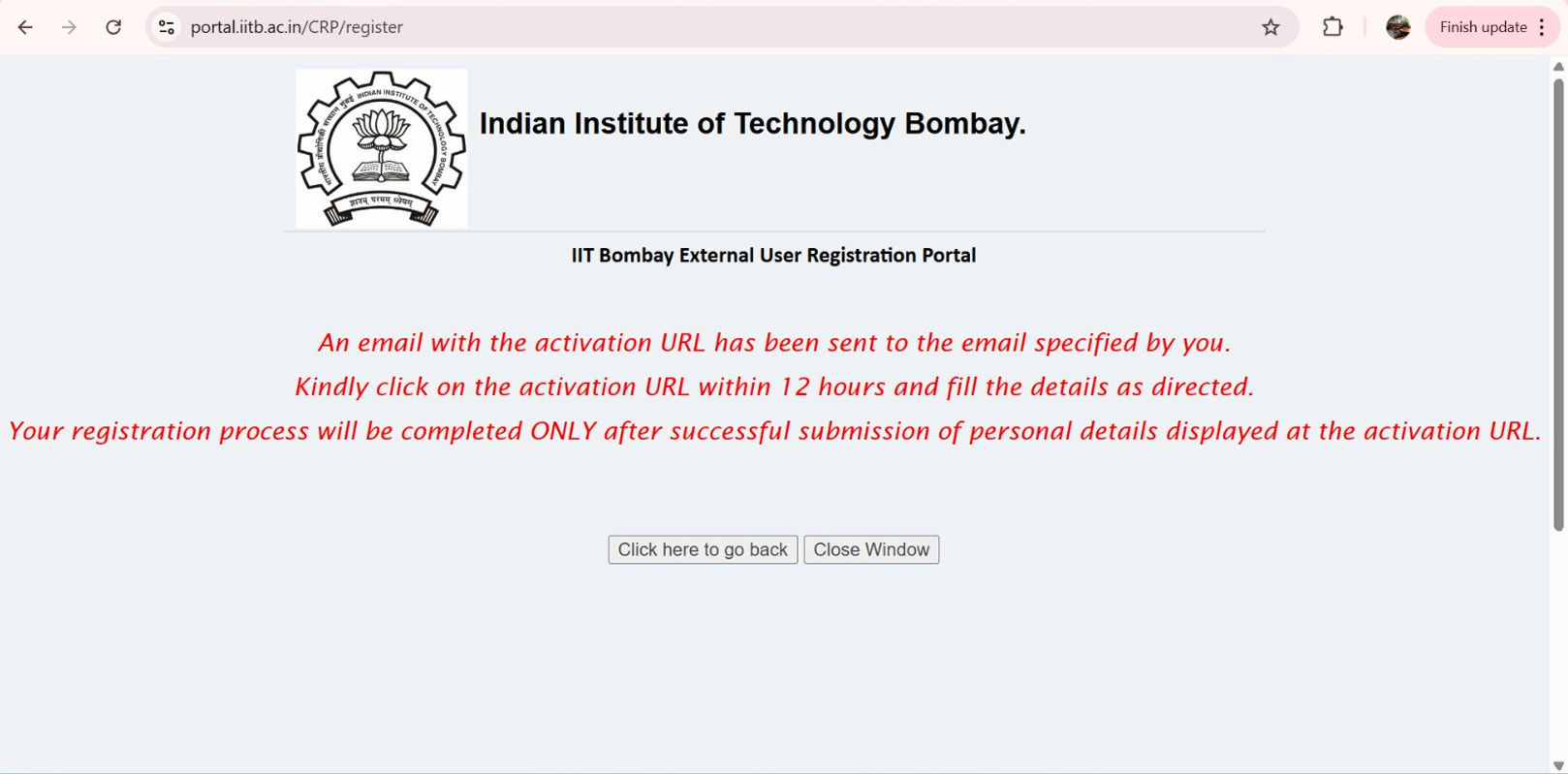
2) You’ll receive a verification link/OTP - complete the verification.
Tip: Use a valid personal email ID and mobile number - all official updates (admit card, result, etc.) will be sent here.
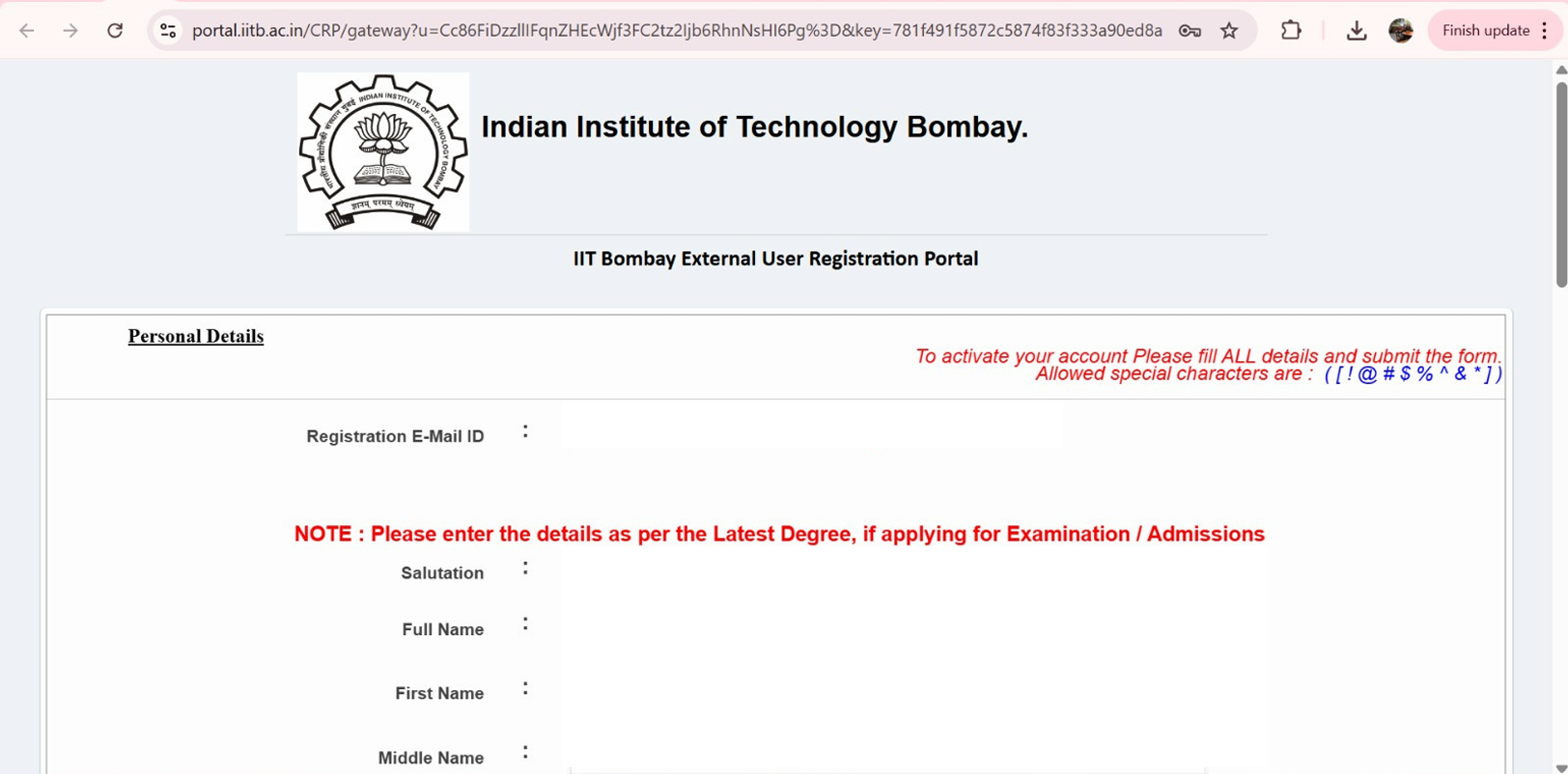
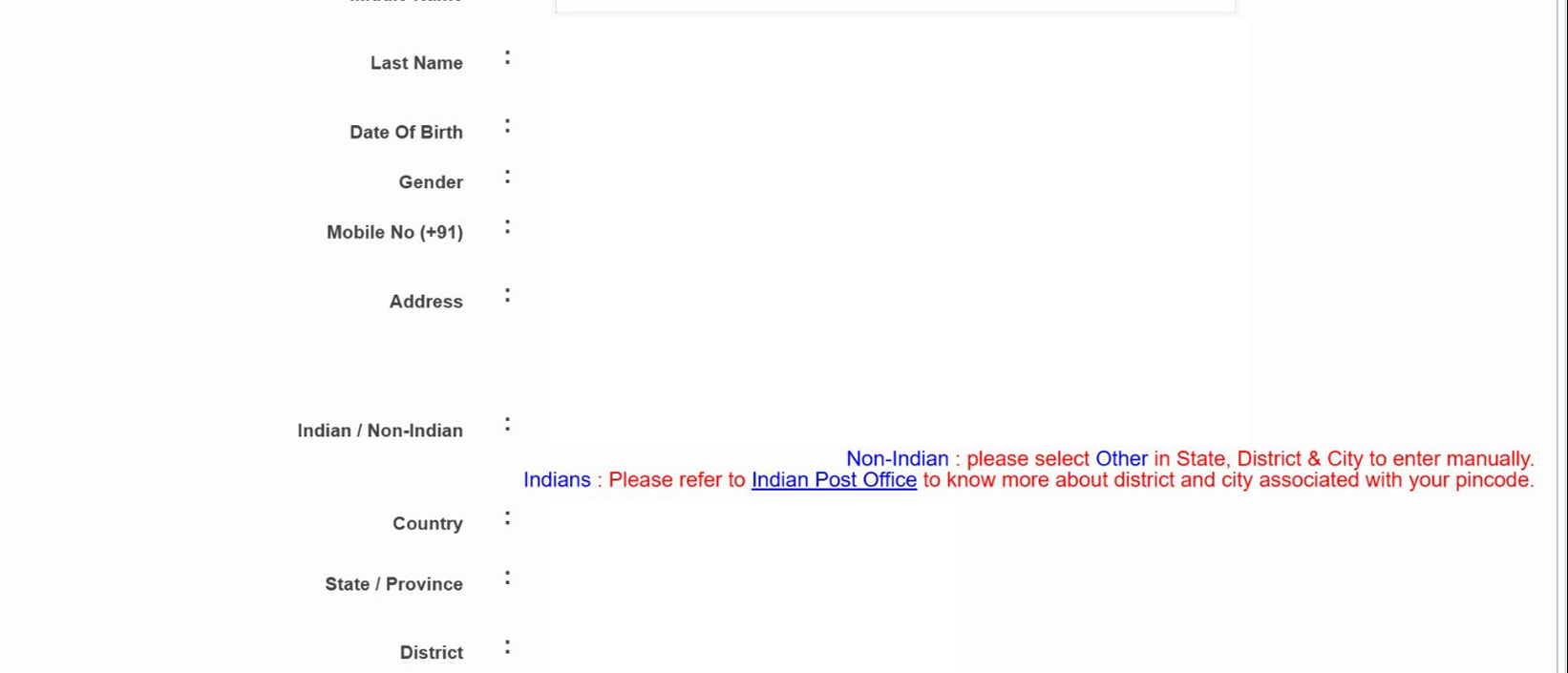
3) If you are a new user, as you click on the activation URL, you’ll be asked to fill details like email ID, mobile number, name, date of birth, address and more. You’ll also be required to enter a secret question and it’s answer, so that you can recover your account in case you forget your password.
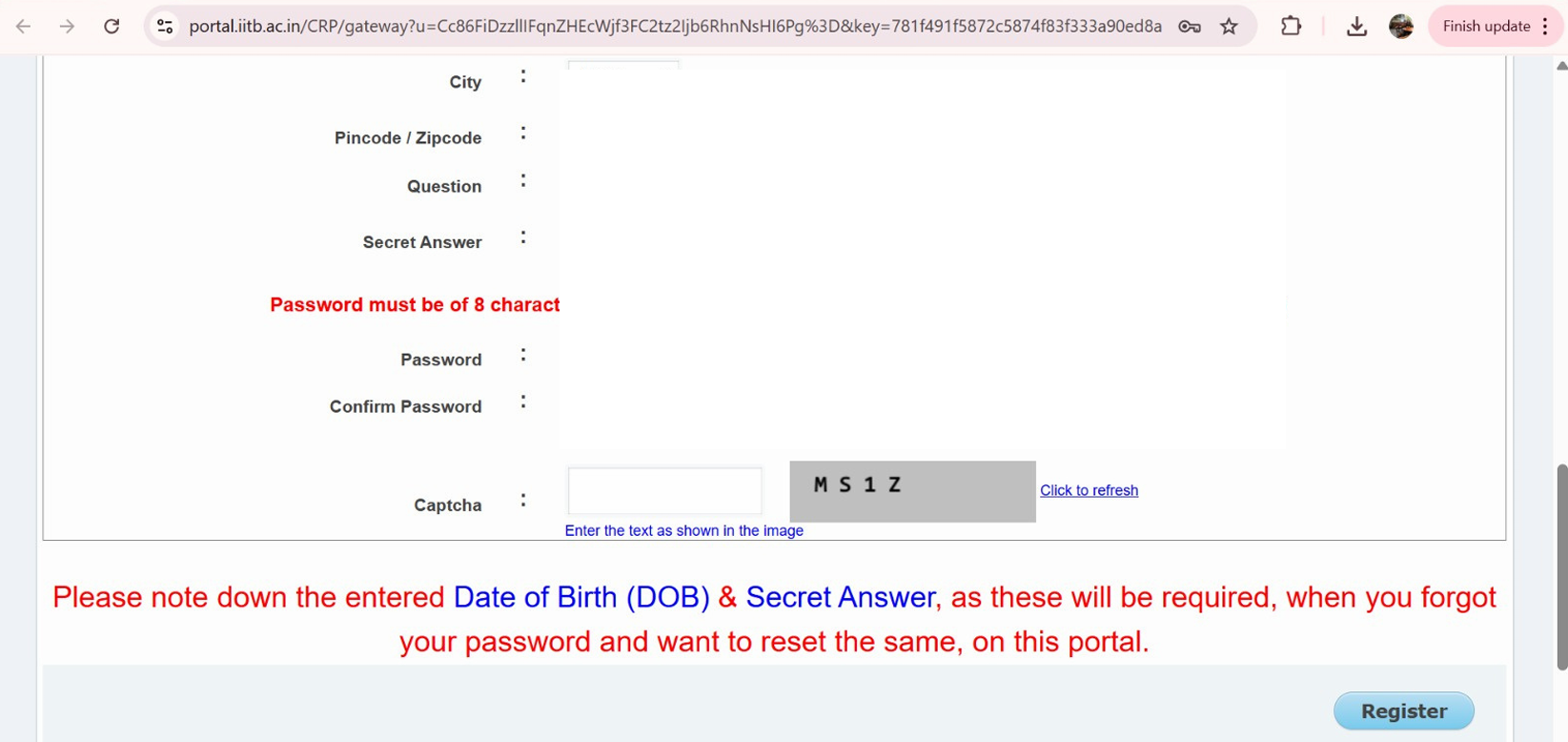
4) Enter password + captcha and click on register.
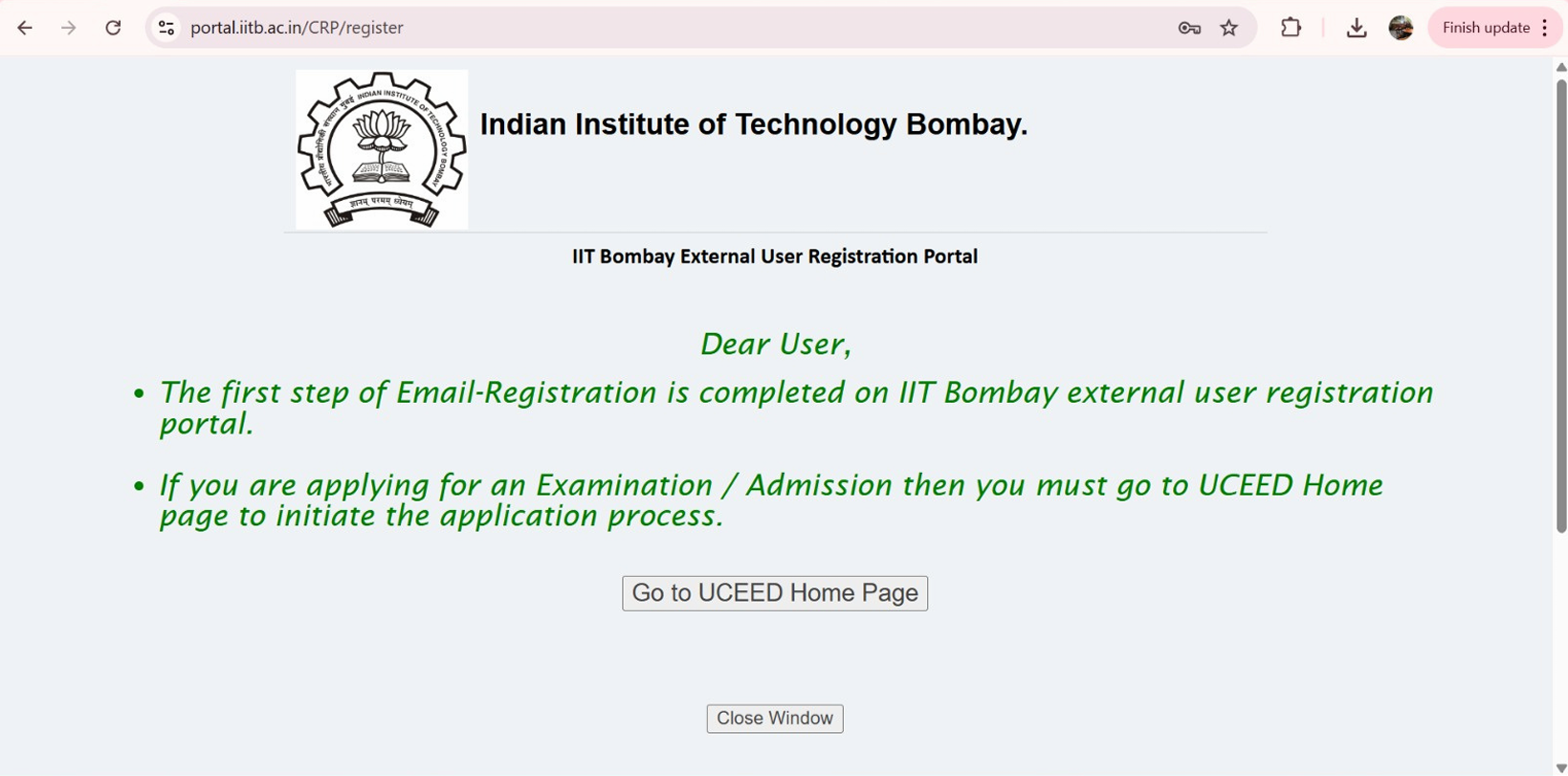
Step 3: Login and Start the Application
1) After successful registration, log in with your credentials and click “Start New Application” to start filling the UCEED 2027 Application Form.
2) The application form has multiple sections. Fill them carefully one by one. The first step is your eligibility check and mobile verification.

Step 4: Fill Personal Details
Enter the following exactly as per your official documents:
- Full Name (as per Class XII certificate)
- Gender
- Nationality
- Category (GEN/OBC-NCL/SC/ST/EWS)
- PwD status (if applicable)
- Date of Birth
- Communication address
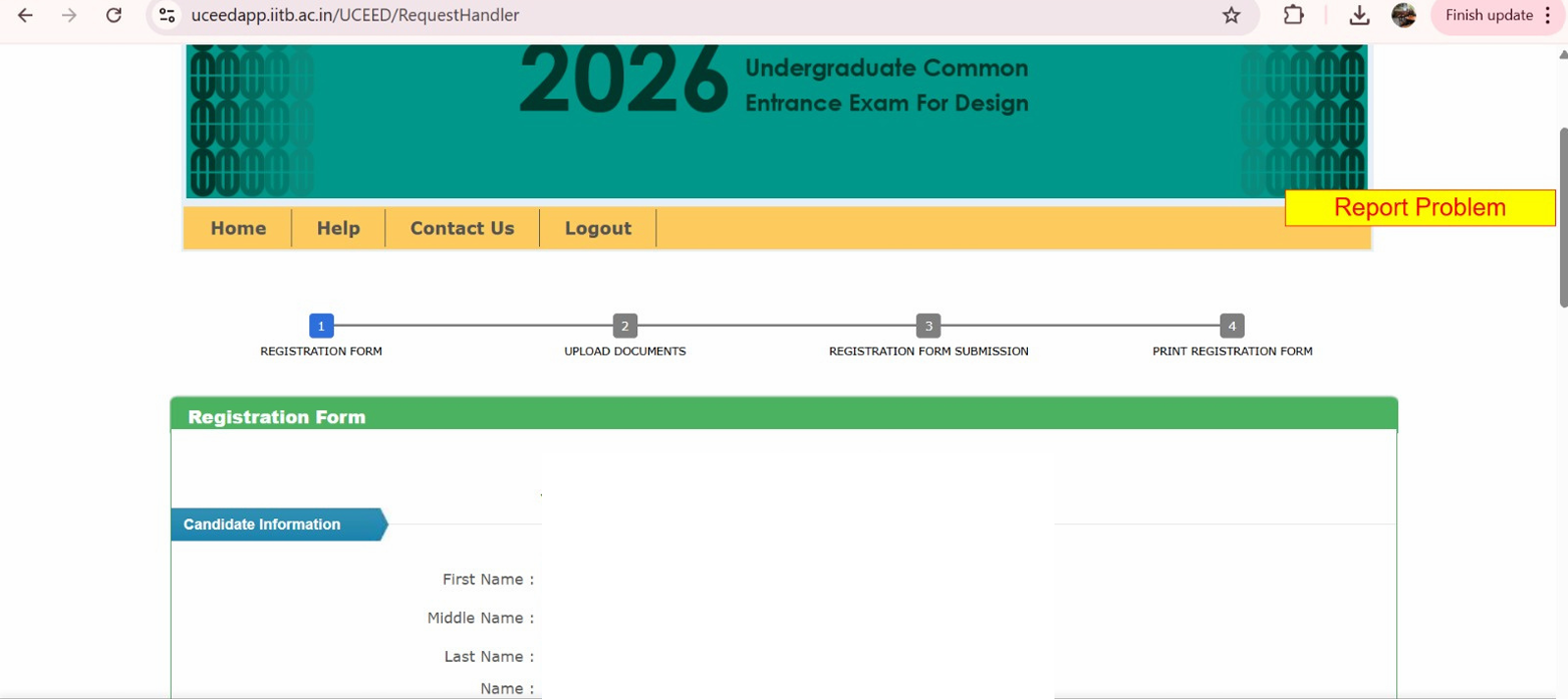
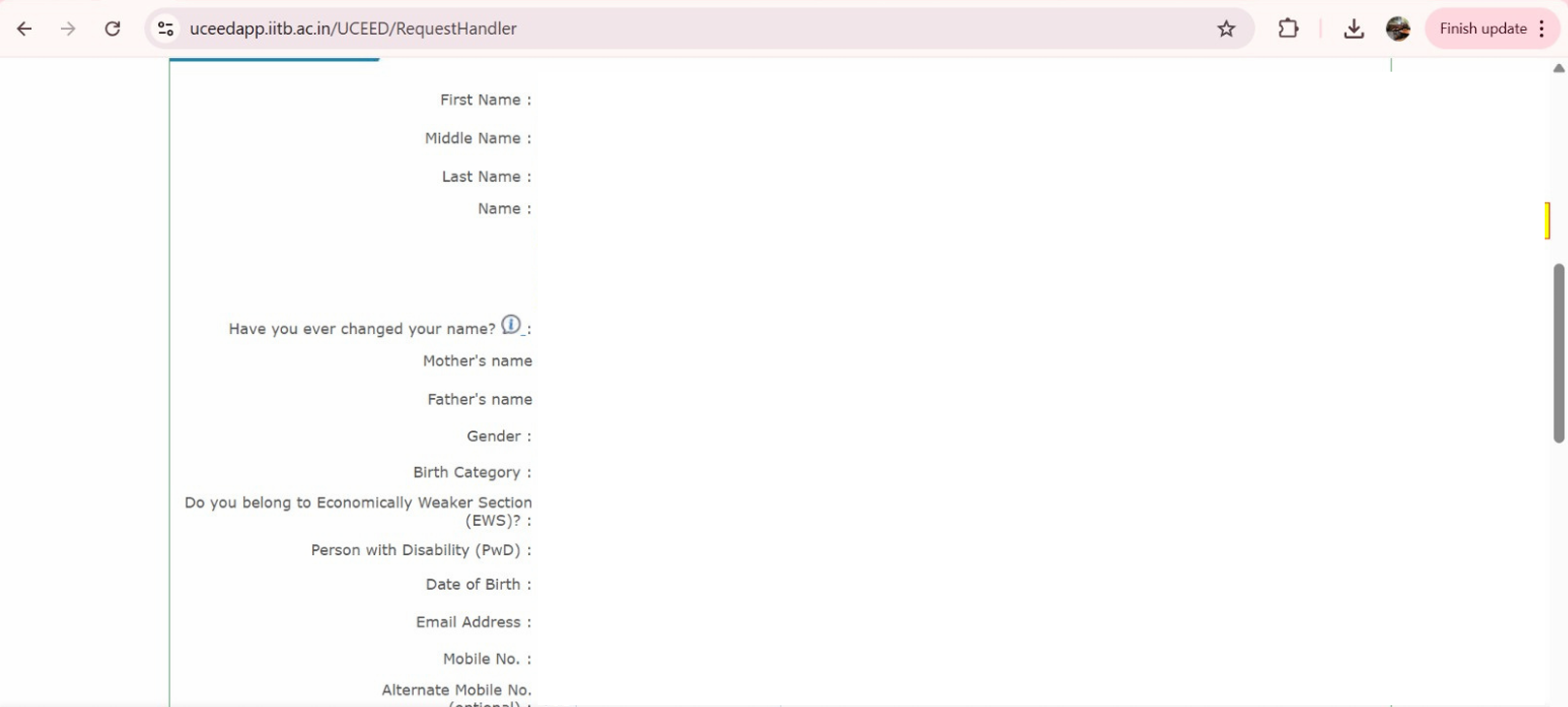
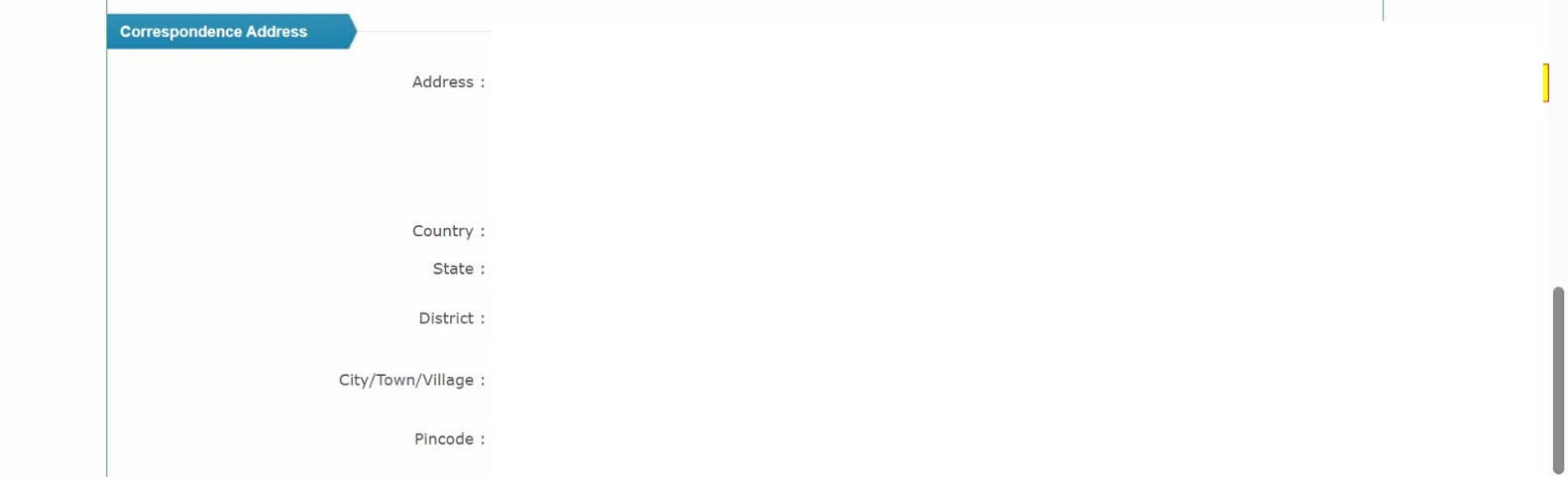
Tips: Avoid spelling errors. Even a small mismatch in name or DoB can cause rejection or discrepancies later during admission.
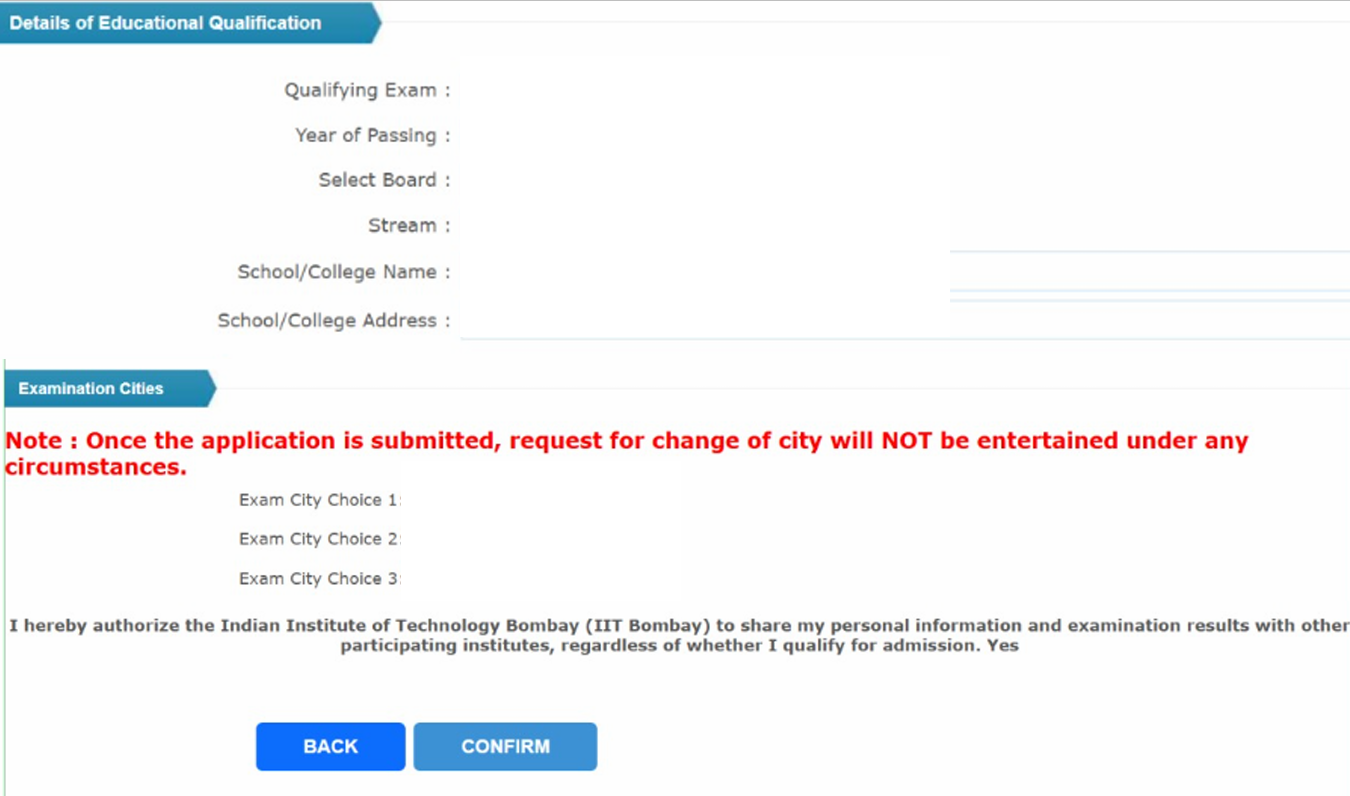
Step 5: Fill Educational Qualification Details and Choose Exam City Preferences
1) Enter your Board Name, Year of Passing (2025) or Appearing Year (2027).
2) Mention your school/college name and city.
3) Select the qualifying exam type (CBSE, ISC, State Board, etc.).
4) If you are appearing for Class 12 in 2027, you will need to upload a Principal/School certificate (Annexure B) confirming your eligibility - [more details on this later]
5) Select three preferred exam cities from the drop-down list. Choose wisely - once submitted, requests for change are rarely accepted.
Step 6: Upload Required Documents
Upload clear, legible and scannable documents in the prescribed format and size as discussed below at this stage of filling the UCEED application form (Use Central Government formats only):
|
Item |
Format & Notes |
|
Recent color photograph (front-facing; 70–80% face; taken within 6 months) |
JPEG (.jpg) |
|
Full signature on white paper |
JPEG (.jpg) |
|
Proof of age (SSC certificate / Passport / Birth certificate) |
PDF (.pdf) |
|
Qualifying exam certificate (if already appeared in 2026) |
|
|
If appearing in 2027 Class XII: Principal/Board certificate (Appendix-1 format) |
|
|
Category certificates (as applicable): OBC-NCL / EWS / SC / ST (Central Govt. format) |
|
|
PwD: UDID or as per brochure format |
|
|
OCI/PIO card (if applicable) |
|
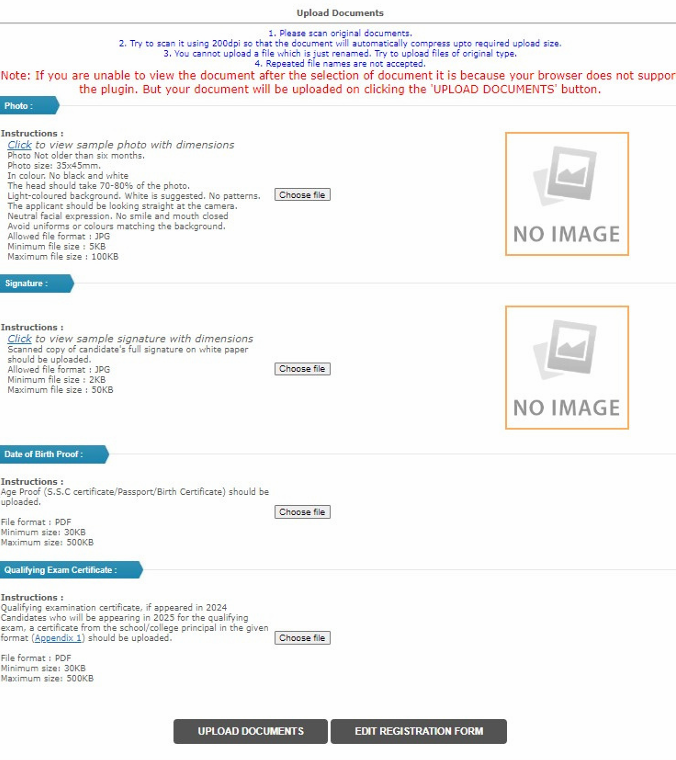
Tip: File names should be simple (e.g., “photo.jpg”, “dob.pdf”). Avoid special characters.
Step 7: Review Your Form Carefully
Before proceeding to payment, review every section - personal info, educational details, and uploads.
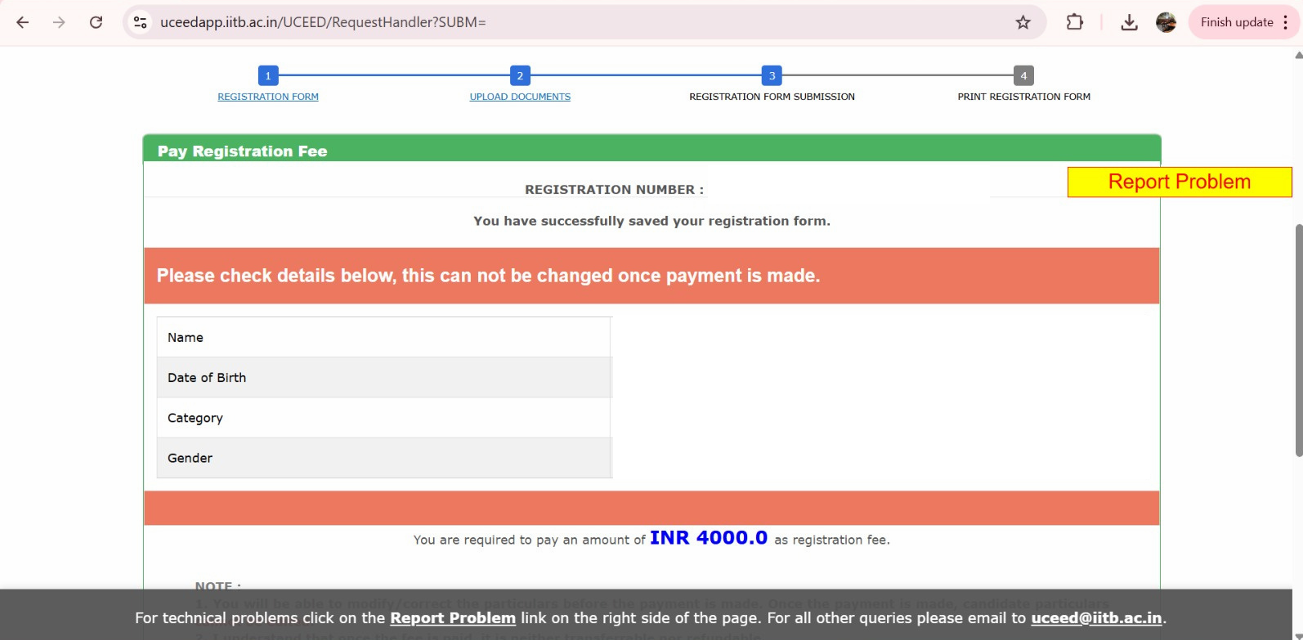
Note: Editing is limited after payment. Double-check photo clarity, category certificates, and Annexure B uploads before submission.
Step 8: Pay the UCEED Application Fee for 2027
Select your payment mode (debit card/credit card/net banking) and complete the transaction.
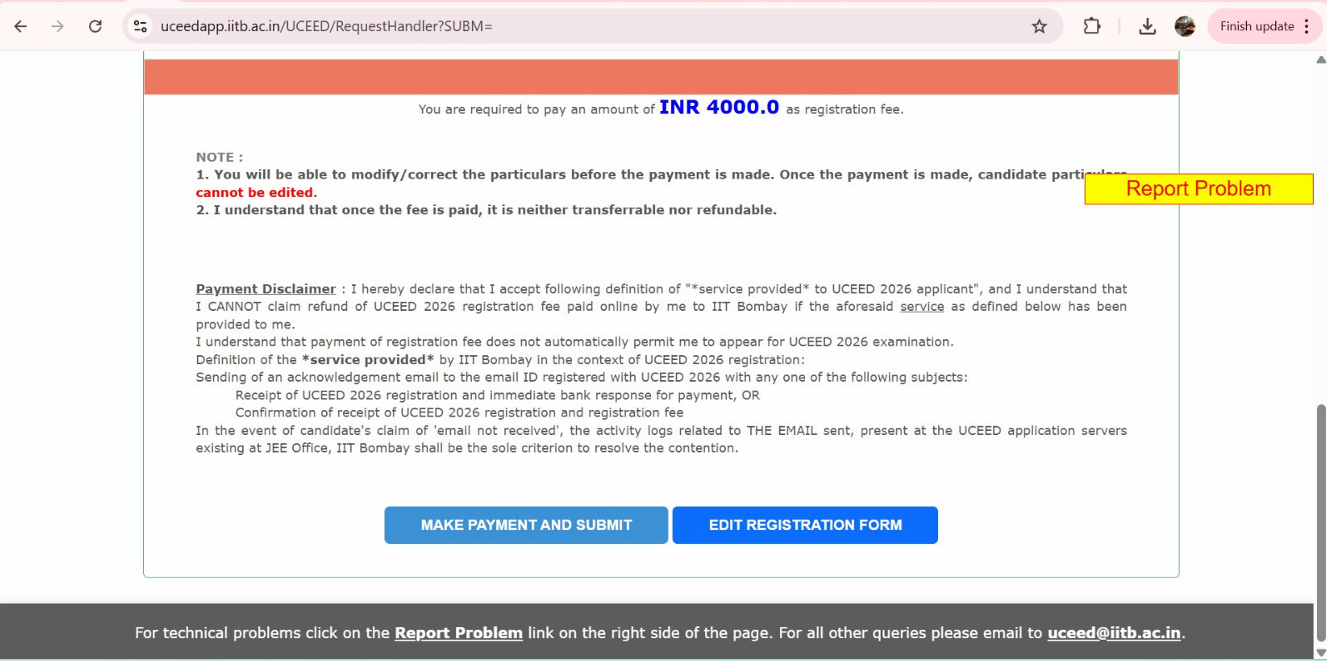
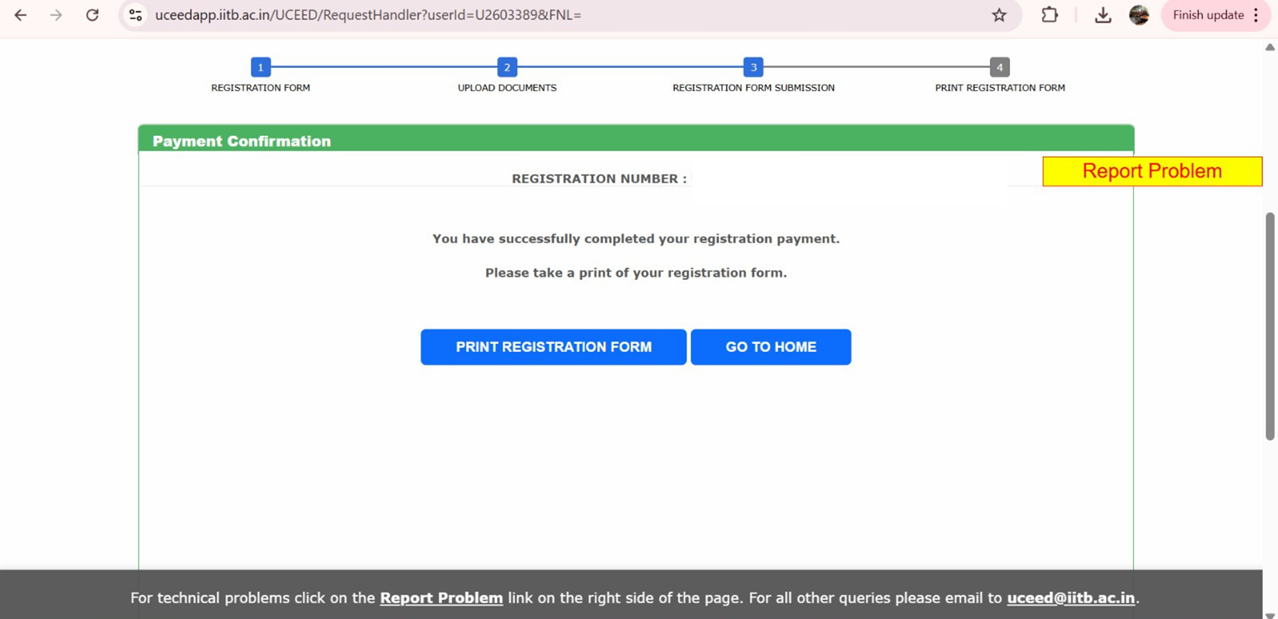
Step 9: Download Confirmation Page & Acknowledgement
- Once payment is complete, download and save your Application Summary & Payment Receipt.
- Keep this PDF safe until the entire admission process is over.
Check: UCEED Sketching Questions
UCEED Application form: Registration Fees 2027
The UCEED registration fee for different categories are given below -
|
Indian Nationals |
Female Candidates (all categories) |
₹ 2,000/- |
|
SC, ST, PwD Candidates |
₹ 2,000/- |
|
|
All Other Candidates |
₹ 4,000/- |
|
|
Foreign Nationals (holders of OCI/PIO cards issued BEFORE 4th March 2021) |
Female Candidates and PwD Candidates |
₹ 2,000/- |
|
All Other Candidates |
₹ 4,000/- |
|
|
Foreign Nationals (including holders of OCI/PIO cards issued ON or AFTER 4th March 2021)
|
Candidates from SAARC countries |
US $ 200 |
|
Candidates from Non-SAARC countries |
US $ 250 |
- Bank/processing charges are extra. Fees are non-refundable and non-transferable.
- You’ll receive a confirmation message after successful payment.
Also check: UCEED Previous Year Question Papers
Understanding Annexure B - The Most Common Confusion in UCEED Application Form
Every year, students who are currently in Class 12 (appearing in 2027) face confusion about what Annexure B is and who should upload it.
Here’s the clear explanation:
What is Annexure B?
Annexure B is a certificate format provided in the official UCEED brochure.
It is a Declaration from the School/College Principal or Head confirming that:
- You are currently studying in Class XII (or equivalent).
- You will appear for the qualifying examination in 2027.
This document is mandatory for students who have not yet received their Class 12 marksheet or certificate.
Who Must Upload Annexure B?
✅ Students appearing for Class XII in 2027 (not yet passed).
❌ Students who have already passed Class XII in 2025 or earlier do not need to upload Annexure B - they must upload their marksheet/certificate instead.
How to Fill Annexure B
1. Download the format from the UCEED 2027 Information Brochure (Appendix-1).
2. Get it printed on the school letterhead (if available).
3. Fill in your name, school name, board, and expected exam month/year (2027).
4. Get it signed and stamped by the school principal/head.
5. Scan the signed document as a PDF file and upload it under “Qualifying Examination Proof.”
Why This Matters:
1. Your application will be rejected if Annexure B is not uploaded properly (for 2027 appearing candidates).
2. Without it, IIT Bombay cannot verify your eligibility to appear for UCEED 2027.
UCEED Application Form 2027: Common Mistakes to Avoid (save marks & stress)
1. Wrong certificate format (state vs central format, outdated OBC-NCL/EWS). Use brochure appendices.
2. Blurry photo/signature or wrong file type (upload only .jpg for photo/sign and .pdf for documents).
3. Name mismatch with Class XII records (requires gazette, avoid the hassle).
4. Missing late-fee deadline (portal closes sharp 5:00 pm on Nov 7).


UCEED Application form: Seat Matrix and Reservation
Seat allocation will be based on the All India Rank (merit order), reservation category, and seat availability in each institute at the time of seat allocation.
The table represents category-wise available seats in Bachelor of Design (BDes) programs at various IITs in the previous years:
|
Institute |
Open |
Open-PwD |
EWS |
EWS-PwD |
OBC-NCL |
OBC-NCL-PwD |
SC |
SC-PwD |
ST |
ST-PwD |
Total |
|
IIT Bombay |
14 |
0 |
4 |
1 |
9 |
0 |
5 |
1 |
3 |
0 |
37 |
|
IIT Delhi |
8 |
1 |
2 |
0 |
5 |
0 |
3 |
0 |
1 |
0 |
20 |
|
IIT Guwahati |
22 |
1 |
6 |
0 |
15 |
0 |
7 |
1 |
3 |
1 |
56 |
|
IIT Hyderabad |
11 |
1 |
3 |
0 |
8 |
0 |
4 |
1 |
2 |
0 |
30 |
|
IIT Roorkee |
8 |
0 |
2 |
0 |
4 |
1 |
3 |
0 |
2 |
0 |
20 |
|
IIITDM Jabalpur |
25 |
1 |
6 |
1 |
18 |
0 |
10 |
0 |
4 |
1 |
66 |
|
IIT Indore |
6 |
1 |
2 |
0 |
4 |
0 |
2 |
0 |
1 |
0 |
16 |
|
Total |
94 |
5 |
25 |
2 |
63 |
1 |
34 |
3 |
16 |
2 |
245 |
Check: UCEED Syllabus 2027
Reservation for UCEED B.Des
- Candidates belonging to the EWS, OBC-NCL, SC, ST, and PwD categories will be declared as qualified on the basis of a relaxed criterion.
- Candidates must note that the benefit of reservation will be given to them only if they have all valid documents at the appropriate stage. If at any stage a candidate has used a false/fake/invalid/incorrect document or has furnished false, incorrect, or incomplete information in order to avail the benefit of reservation, they will be disqualified and their admission shall stand cancelled.
- If the PwD certificate is not valid, the candidate will be rolled back to GEN
- The candidate must submit a valid and updated certificate while submitting his/her application for B.Des admission to avail of reservation.
- Seat allocation will be based on the All India Rank (merit order), reservation category, and seat availability in each institute at the time of seat allocation.
- Economically Weaker Sections (EWS) 10% of seats. EWS certificates issued only from April 1, 2021, onwards are accepted.
- Other Backward Classes belonging to the Non-Creamy Layer (OBC-NCL) have 27% of seats in the course.
- Scheduled Caste (SC) - 15% of seats in the course.
- Scheduled Tribe (ST) - 7.5% of seats in the course.
- Seats remaining vacant under the SC and ST categories shall NOT be allotted to candidates belonging to other categories.
Check: UCEED Exam Pattern
After You Submit the UCEED Application Form 2027- What Next?
1. Admit card
Download around January 2027; verify name, category, exam city, and photo/signature. Report discrepancies as instructed on the site.
2. Exam day guidelines
Read the brochure’s “Day of the Examination” section for reporting time, permitted items, scribe/compensatory time rules (if applicable).
3. Results, scorecard & rank lists
UCEED publishes results/rank lists as per the official schedule in the brochure. (The score is valid for admissions only in AY 2027-28.)
4. Separate B.Des Admissions Application (post-result)
Very important: After qualifying UCEED 2027, you must fill a separate, common B.Des admission application via the IIT Bombay Admissions Portal (link will appear on the UCEED website).
- You’ll indicate institute preferences (IITB, IITD, IITG, IITH, IITI, IITR, IIITDMJ).
- Counselling/processing fee: ₹4,000 (non-refundable).
- Multiple seat allotment rounds are conducted based on AIR, category & seat availability.
Check: UCEED Seat Allotment Process
Conclusion
Completing the UCEED Application Form 2027 is simple if you plan ahead. Keep all documents ready, fill accurate personal and academic details, upload the correct certificates (or Annexure B if you’re appearing for Class 12 in 2027), and pay the fee before the deadline.
Double-check every entry to avoid errors that could lead to rejection. Once submitted, download your admit card in January 2027 and remember to apply separately for B.Des admissions after results are announced.
We hope this article helped you understand the steps involved in completing the UCEED 2027 Application Form and registration process effectively
Need professional help filling UCEED 2027 Application Form or in verifying documents? CreativEdge counsellors can guide you through every step - from document prep to final submission.
Reach us @6363286363

Attempt a Free UCEED Mock Test
Fill your details
Frequently Asked Questions
Can I edit my application after submission?

When is the last date to fill the UCEED Exam 2027 application form?
What is the UCEED application fee for 2027?
Which academic stream should I study in to be eligible for UCEED 2027 Exam?
Can I fill the UCEED 2027 Application Form in offline mode?
Can I register for UCEED now?
Is UCEED conducted twice a year?
What is the registration fee for UCEED 2027?

Vineeta Agrawal
Communications Executive
SHARE